The best dual monitor arms depend on your monitors’ size and weight, your desk’s construction, and how you want to arrange the screens. These five options range from compact spring arms to tall stacked mounts and heavy-duty models, so match the mounting style and capacity to your setup.
Quick Top Products
HUANUO HNDS7 Dual Monitor Stand
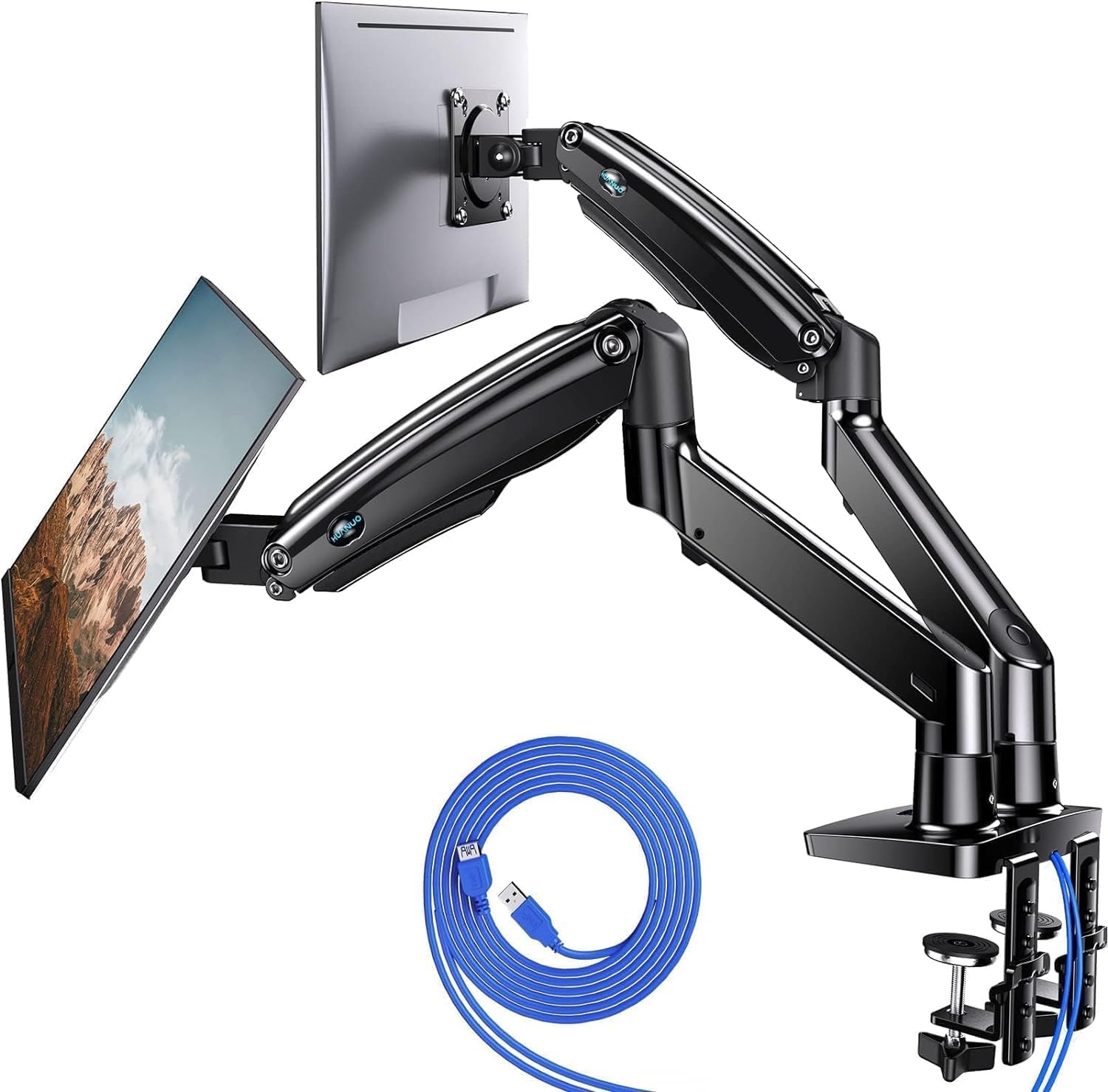
- Supports two 13 to 40 inch screens weighing up to 26.4 lb per arm.
- Offers C-clamp or bolt-through grommet mounting.
- Includes two USB ports and a 5.25 ft USB cable.
Best For: People mounting two larger or heavier monitors who also want built-in USB ports.

HUANUO FlowLift Dual Monitor Stand

- Fits 13 to 32 inch screens weighing 4.4 to 19.8 lb per arm.
- Supports tilt, swivel, and 360-degree rotation.
- Offers C-clamp or grommet mounting.
Best For: Users with medium-size monitors who want flexible positioning and a choice of desk mount.
HUANUO Stacked Dual Monitor Stand
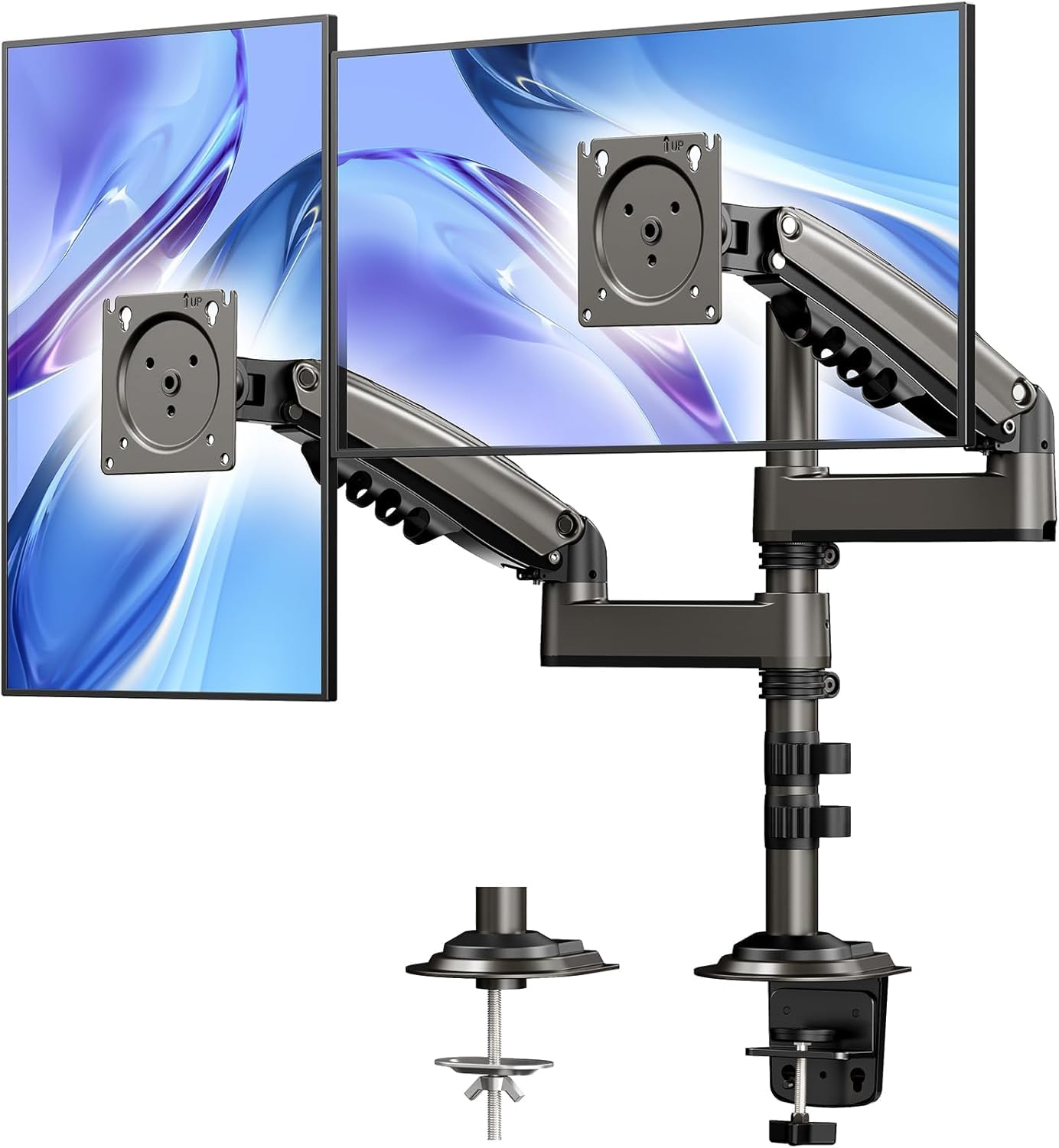
- The stacked mount includes a 17-inch extension and raises screens up to 25.19 inches.
- It supports monitors up to 32 inches and 19.8 lb each.
- It accepts C-clamp or grommet mounting.
Best For: People who want to place two compatible monitors vertically and need extra screen height.
HUANUO FlowLift Pro Dual Monitor Mount
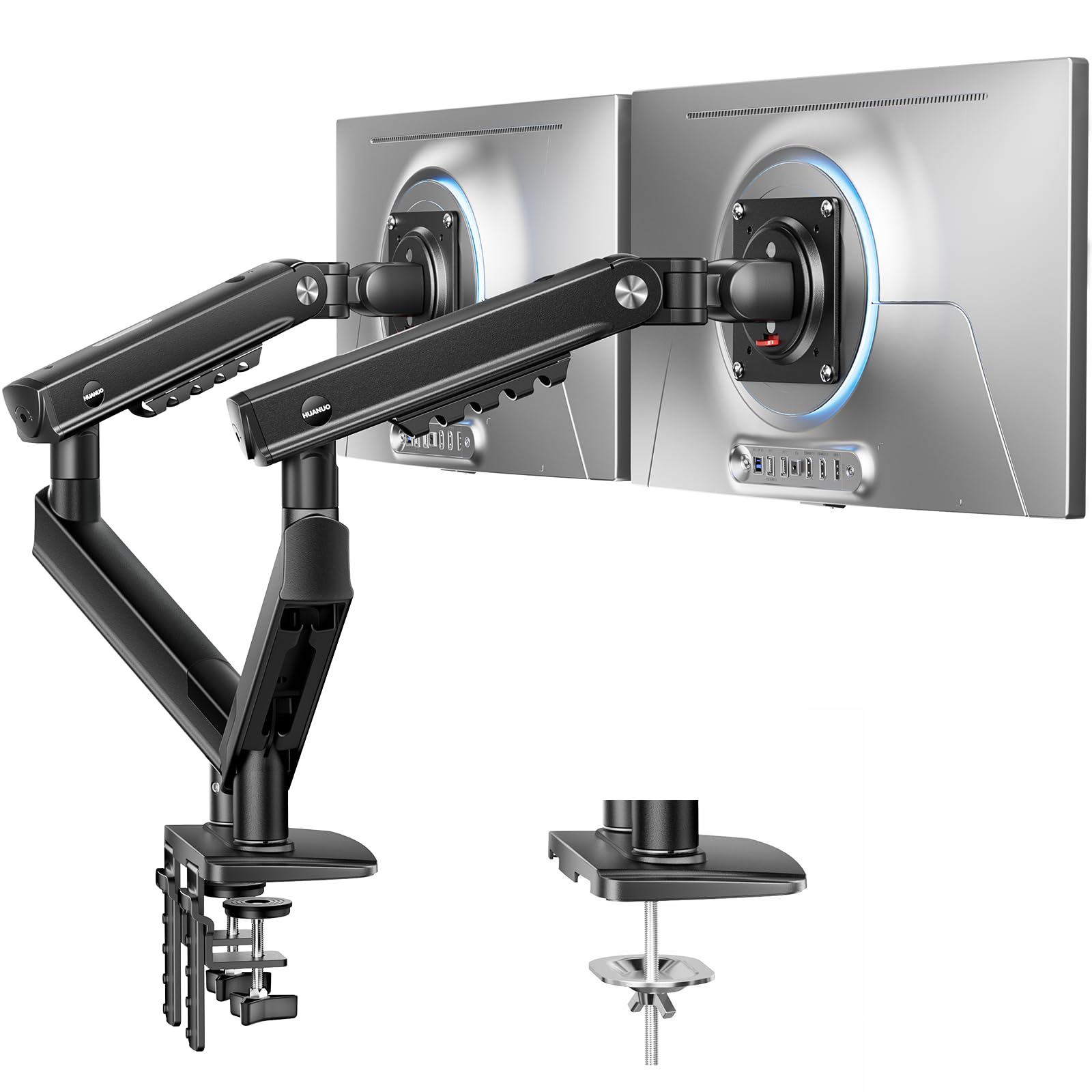
- Fits 13 to 27 inch screens weighing 4.4 to 15.4 lb each.
- Uses a MechaSpring arm and LockSteady system.
- The tool-free InstaMount VESA plate attaches or detaches the monitor.
Best For: Users with smaller, lighter monitors who reposition their screens often.
HUANUO TitanLift Heavy Duty Monitor Arm
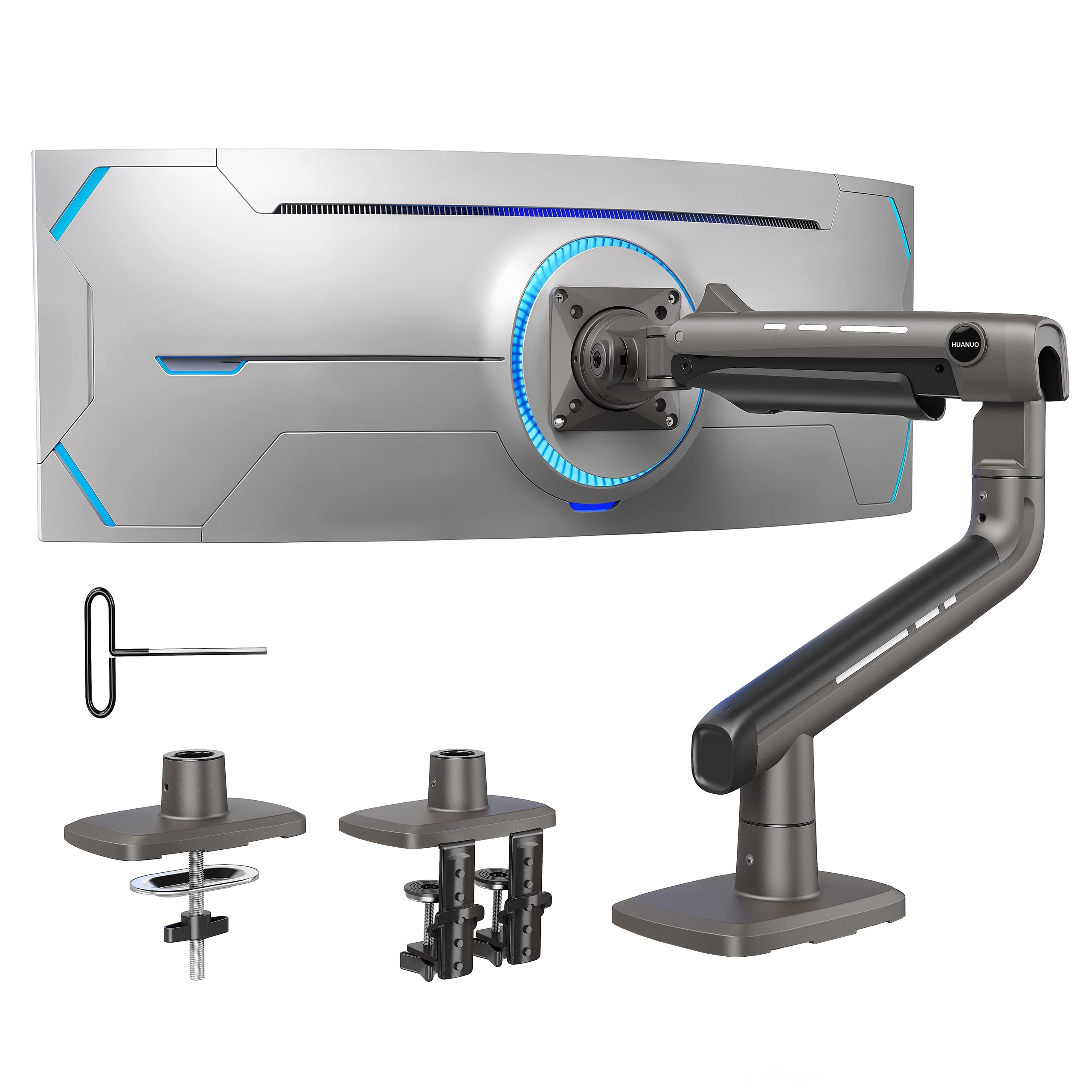
- Supports one screen up to 49 inches and 44 lb.
- Adjusts in tilt, swivel, and rotation, with extension up to 22.5 inches.
- Uses a dual C-clamp and requires a wooden desk 0.8 to 3.5 inches thick.
Best For: Someone mounting one large ultrawide monitor and considering a future dual-monitor setup.
For Larger, Heavier Screens
HUANUO Dual Monitor Stand for 13″–40″, Premium Dual Monitor Mount with USB, Height Adjustable Monitor Stand for 2 Monitors, VESA Mount with Clamp/Grommet Base, Holds 26.4lbs per Arm, HNDS7
The HUANUO HNDS7 supports two screens from 13 to 40 inches, with a maximum of 26.4 lb per arm. Its aluminum arms extend up to 25.59 inches and rise to 21.1 inches, giving a larger desk more positioning reach.
You can tilt, swivel, and rotate the screens, and choose a C-clamp or bolt-through grommet mount. Two built-in USB ports connect through a 5.25 ft cable, while integrated cable management helps clear the desktop.
Check each monitor’s VESA pattern and weight, plus whether your desk can accept the selected mount.
Best For: People mounting two larger or heavier monitors who also want built-in USB ports.
| Pros | Cons |
|---|---|
|
|
Choose the HNDS7 if your dual setup needs more per-arm capacity, extended reach, or USB ports. Its clamp and bolt-through options provide flexibility, but the desk still needs to fit the mounting limits.
Confirm both screens have 75×75mm or 100×100mm VESA patterns, and check the stated weight ceiling for each. The product details give a maximum monitor weight but do not state a minimum.
For Broad Screen Positioning
HUANUO FlowLift™ Dual Monitor Stand, Fully Adjustable Gaming Monitor Desk Mount for 13–32″ Computer Screens, Full Motion VESA 75x75/100x100 with C-Clamp & Grommet Base, Each Arm Holds 4.4 to 19.8 lbs
The HUANUO FlowLift supports two 13 to 32 inch monitors, with each arm rated for 4.4 to 19.8 lb. Its full-motion adjustment includes tilt, swivel, and rotation, and the screens can be raised up to 15.75 inches.
The base supports either C-clamp or grommet mounting, and cable management runs along the arms. Its compatibility window is narrower than a heavy-duty mount, and its desk requirements deserve a close check: wooden desks are recommended, while glass or plastic desks cannot be used.
Verify screen weight, VESA pattern, desk thickness, and clearance below the desk before choosing it.
Best For: Users with medium-size monitors who want flexible positioning and a choice of desk mount.
| Pros | Cons |
|---|---|
|
|
The FlowLift is a practical match for two monitors within its 13 to 32 inch and 4.4 to 19.8 lb per-arm ranges. It has more articulation than the tall stacked option, while its listed rise is lower.
Before buying, check that both screens use a supported VESA pattern and that the wooden desk has the required thickness and unobstructed underside. Its choice of clamp or grommet mount helps with desk installation, but does not remove those compatibility conditions.
For Tall Stacked Screens
HUANUO 17-32 Inch Dual Monitor Stand, Vertical Dual Monitor Mount, Monitor Stand 2 Monitors, Ergonomic Adjustable Tilt/Swivel/Rotate, Weight Max 19.8 lbs, VESA 75/100mm
This HUANUO stand arranges two monitors in a vertical stack and includes a 17-inch extension that raises them up to 25.19 inches. Each monitor must weigh between 4.4 and 19.8 lb, measure no more than 32 inches, and have 75×75mm or 100×100mm VESA holes.
Tilt, swivel, and rotation provide some angle control, while integrated cable management keeps wires together. The mount accepts C-clamp or grommet installation on suitable solid wood or metal desks, but not glass.
Its tall layout fits a different workspace than side-by-side arms, so check screen dimensions and your preferred arrangement first.
Best For: People who want to place two compatible monitors vertically and need extra screen height.
| Pros | Cons |
|---|---|
|
|
Pick this model when arranging monitors vertically is the point, especially if added height is useful for your workspace. Its maximum screen size and per-screen weight range are similar to the FlowLift, while its 25.19-inch elevation supports a taller setup.
Check that both displays have compatible VESA holes and that the desk is solid wood or metal, within the clamp or grommet thickness range. The vertical layout may not suit users who prefer a side-by-side spread.
For Frequent Adjustments to Smaller Screens
HUANUO FlowLift Pro Dual Monitor Mount for 13–27" Screens, MechaSpring Monitor Stand, Adjustable Monitor Arms for 2 Monitors with Tilt/Swivel/Rotation, Tool-Free VESA Mount, Max Load 15.4 lbs
The FlowLift Pro is sized for two 13 to 27 inch monitors weighing 4.4 to 15.4 lb each, with 75×75mm or 100×100mm VESA patterns. Its MechaSpring arms use a LockSteady system intended to support smooth movement and resist sagging during frequent adjustments.
A tool-free VESA plate simplifies attaching or detaching a monitor, and an indicator window gives visual feedback when adjusting tension. The notes recommend wooden desks 0.59 to 3.54 inches thick and urge caution with irregular desk edges.
If your screens exceed its size or weight range, choose a model with a broader stated capacity.
Best For: Users with smaller, lighter monitors who reposition their screens often.
| Pros | Cons |
|---|---|
|
|
This arm fits smaller monitors and people who often shift their screens for coding, meetings, or other desk tasks. The tool-free VESA plate and visible tension indicator make setup and adjustment more direct, while the supported screen range is narrower than the other models here.
Confirm monitor weights and VESA patterns first. Also inspect the desk edge and underside; the notes recommend wood desks and specify a thickness range, so desk shape is part of the fit.
For One Large Ultrawide Display
HUANUO TitanLift Heavy Duty Monitor Arm for Screens up to 49", Holds 44 lbs, Aluminum Ultrawide Screen Monitor Mount, Fully Adjustable Single Gaming Desk Mount with Dual C-Clamp, Max VESA 100x100mm
The TitanLift is a single monitor arm, not a dual-arm mount, so it suits an ultrawide display or a staged setup better than mounting two screens today. It supports screens from 17 to 49 inches weighing 6.6 to 44 lb, with 75×75mm or 100×100mm VESA holes.
The arm extends up to 22.5 inches and adjusts in height up to 19.6 inches, with tilt, swivel, and rotation. It uses a dual C-clamp on a wooden desk 0.8 to 3.5 inches thick and requires a clear underside.
Since this roundup focuses on dual monitor arms, consider it only if one ultrawide replaces two displays.
Best For: Someone mounting one large ultrawide monitor and considering a future dual-monitor setup.
| Pros | Cons |
|---|---|
|
|
This is the outlier for shoppers replacing two displays with one ultrawide: its 49-inch and 44 lb limits apply to a single screen. It offers more capacity for that format than the dual arms, but it does not meet the core need for mounting two monitors.
The wooden-desk requirement, thickness range, and underside clearance also narrow installation fit. It is included as a relevant adjacent option, though shoppers who need two mounted screens should choose one of the dual-arm models.
How to Choose Dual Monitor Arms
How We Picked Best Dual Monitor Arms
All five candidates are monitor arms or stands, but one is a single-screen arm rather than a dual model. The dual options serve different layouts: the FlowLift suits adjustable side-by-side positioning, the stacked HUANUO raises one screen above the other, and the HNDS7 supports larger or heavier dual displays.
The FlowLift Pro targets smaller screens with frequent repositioning. We considered screen size and weight limits, VESA fit, mount type, adjustment range, and desk restrictions.
The TitanLift is included as an adjacent choice for someone using one ultrawide in place of two screens.
Comparing Dual Monitor Arms
Start with the monitors and desk rather than the feature list. Every dual model here requires VESA mounting holes, but their supported sizes and weights differ.
The HNDS7 reaches 40-inch screens and 26.4 lb per arm; the FlowLift and stacked stand top out at 32 inches, while the FlowLift Pro tops out at 27 inches and 15.4 lb. These limits apply to each monitor, so check both displays individually.
| Product | Standout features | Best for |
|---|---|---|
| HUANUO HNDS7 Dual Monitor StandCheck Price |
| People mounting two larger or heavier monitors who also want built-in USB ports. |
| HUANUO FlowLift Dual Monitor StandCheck Price |
| Users with medium-size monitors who want flexible positioning and a choice of desk mount. |
| HUANUO Stacked Dual Monitor StandCheck Price |
| People who want to place two compatible monitors vertically and need extra screen height. |
| HUANUO FlowLift Pro Dual Monitor MountCheck Price |
| Users with smaller, lighter monitors who reposition their screens often. |
| HUANUO TitanLift Heavy Duty Monitor ArmCheck Price |
| Someone mounting one large ultrawide monitor and considering a future dual-monitor setup. |
Choosing a Dual Monitor Mount for Your Desk
Desk compatibility can decide the purchase. The FlowLift and FlowLift Pro recommend wooden desks, with glass and plastic unsuitable for the FlowLift.
The stacked stand permits solid wood or metal but excludes glass. The HNDS7 accepts clamp or bolt-through grommet mounting, while the other dual options describe clamp and grommet choices.
Check desk thickness, edge shape, grommet-hole dimensions where relevant, and the underside for beams or panels that could obstruct the clamp.
Screen Layout, Height, and Movement
For side-by-side displays, compare the arms’ reach and motion range with your desk depth and sitting position. The FlowLift raises screens up to 15.75 inches, while the HNDS7 rises to 21.1 inches and extends up to 25.59 inches.
A vertical dual monitor stand uses a different footprint and raises its screens up to 25.19 inches. If you reposition screens during the day, the FlowLift Pro’s MechaSpring design, LockSteady system, and tool-free VESA plate are relevant features for its smaller supported displays.
Who Should Buy Which Dual Monitor Arm?
Choose the HNDS7 for heavier displays, longer arm reach, and built-in USB ports. The FlowLift is a fit for mid-size screens when full-motion adjustments and either clamp or grommet mounting matter.
Choose the stacked stand when a vertical arrangement and extra height fit your workflow. The FlowLift Pro makes sense for smaller monitors that move often.
The TitanLift only fits this roundup if you are considering one large ultrawide instead of two separate monitors; it cannot mount a pair.