The best USB microphones under 100 range from simple desktop mics to kits with boom arms and models that also support XLR. Choose based on how you record, how much desk space you have, and whether you want hands-on controls or room to upgrade.
Quick Top Products
Samson Q2U Dynamic USB-C/XLR Microphone

- Connects over USB-C or XLR.
- Includes a desktop tripod stand, clip, and windscreen.
- Comes with both USB-C and XLR cables.
Best For: People who want a handheld dynamic mic that can connect by USB-C or XLR.

MAONO PD200XS XLR/USB Dynamic Microphone Kit
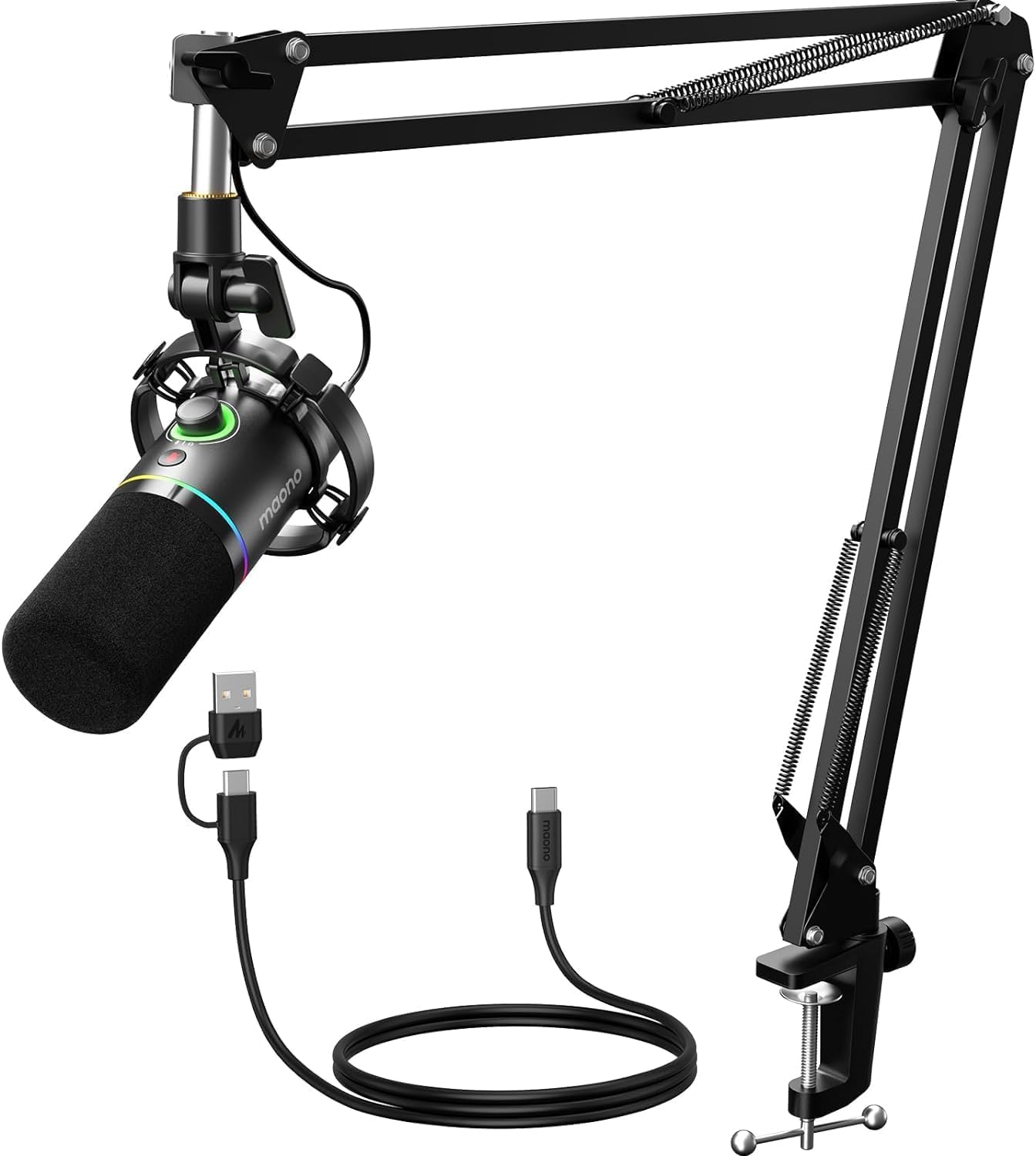
- Supports both USB and XLR connections.
- USB software includes EQ, limiter, and compressor adjustments.
- Includes a boom arm and a USB-C cable.
Best For: Streamers and podcasters who want USB controls, software adjustments, and a boom arm in the box.
JLab Talk Pro USB Microphone
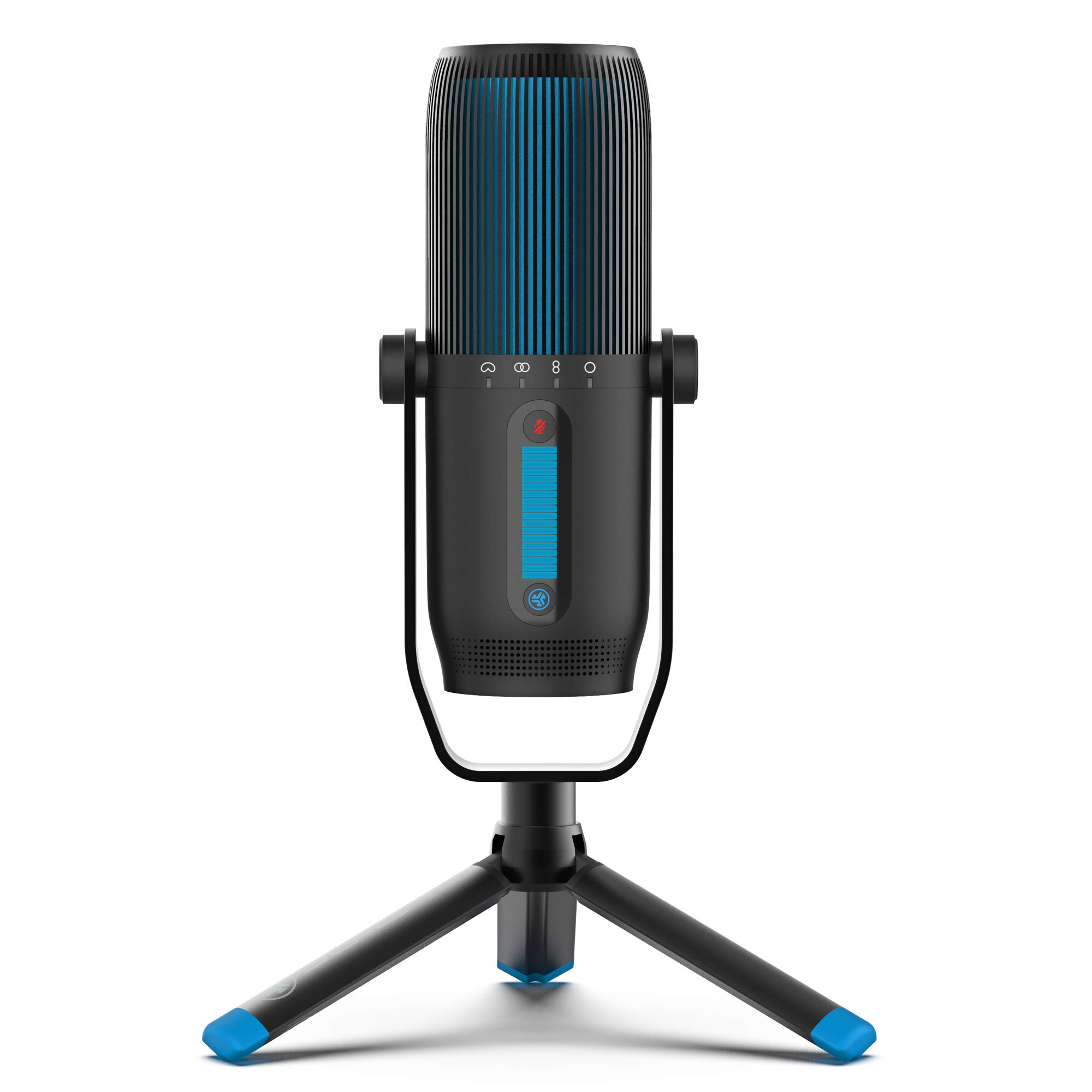
- Offers cardioid, omni, stereo, and bidirectional modes.
- Provides gain and volume controls with quick mute.
- Includes a 10-foot USB/USB-C cable.
Best For: People recording solo or with multiple speakers who want several pickup patterns in one USB mic.
FIFINE K669B USB Microphone

- Connects to a USB-A port with the included 5.9-foot cable.
- Has a volume knob on the microphone.
- Uses a cardioid condenser design.
Best For: Budget-minded buyers who need a compact USB mic for voice chat, streaming, or everyday recording.
FIFINE AmpliGame AM8 White

- Offers USB and XLR connectivity.
- RGB lighting can be toggled with a button in USB mode.
- Has mute, gain, and headphone controls in USB mode.
Best For: Streamers who want USB controls and RGB with an option to connect to XLR equipment later.
FIFINE AmpliGame A6T USB Microphone Kit
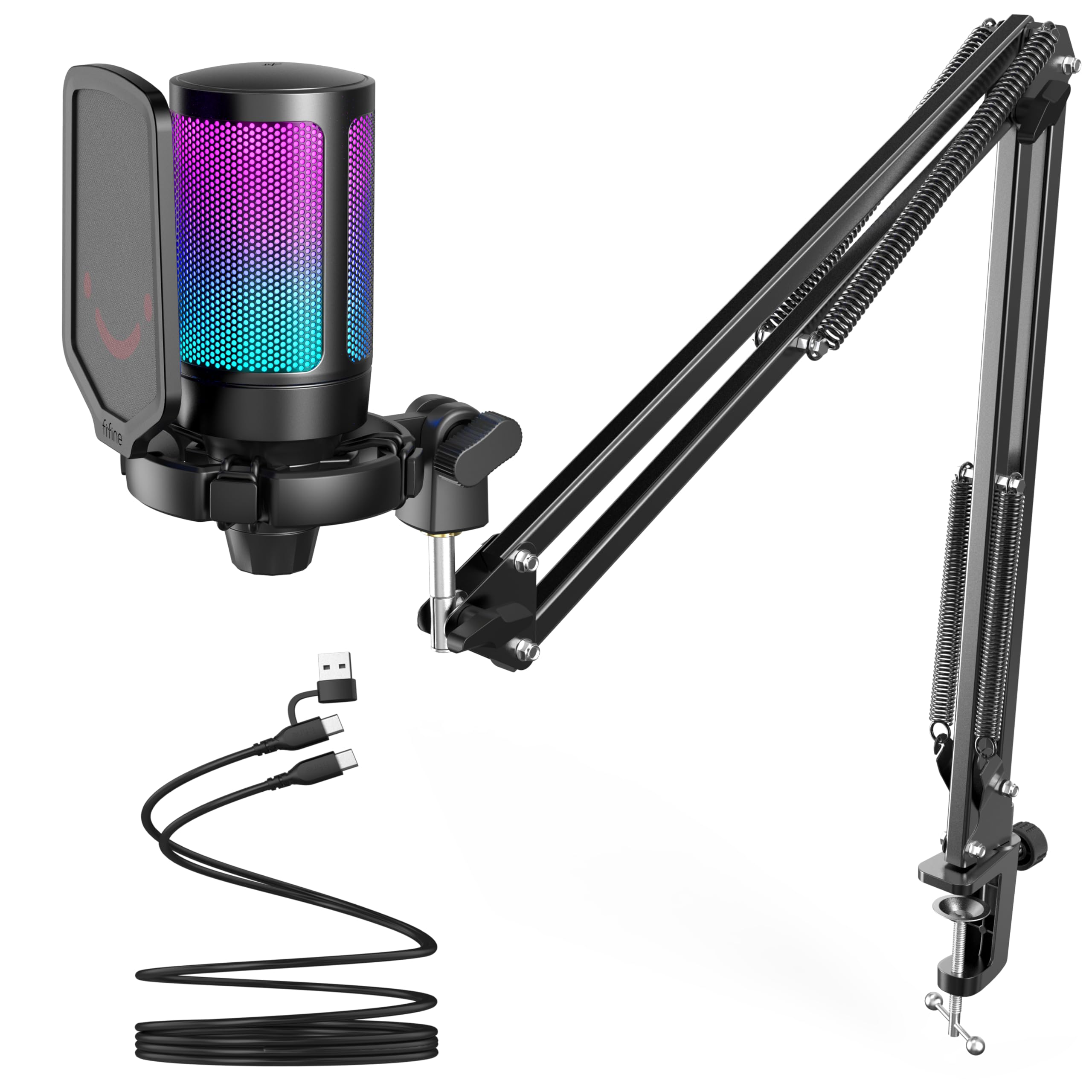
- Includes a boom arm, pop filter, and shock mount.
- Has a touch-mute button and volume knob.
- USB-compatible with Windows, Mac, PS4, and PS5.
Best For: PC and console gamers who want a condenser mic, boom arm, and quick controls in one kit.
FIFINE AmpliTank K688 Dynamic Microphone
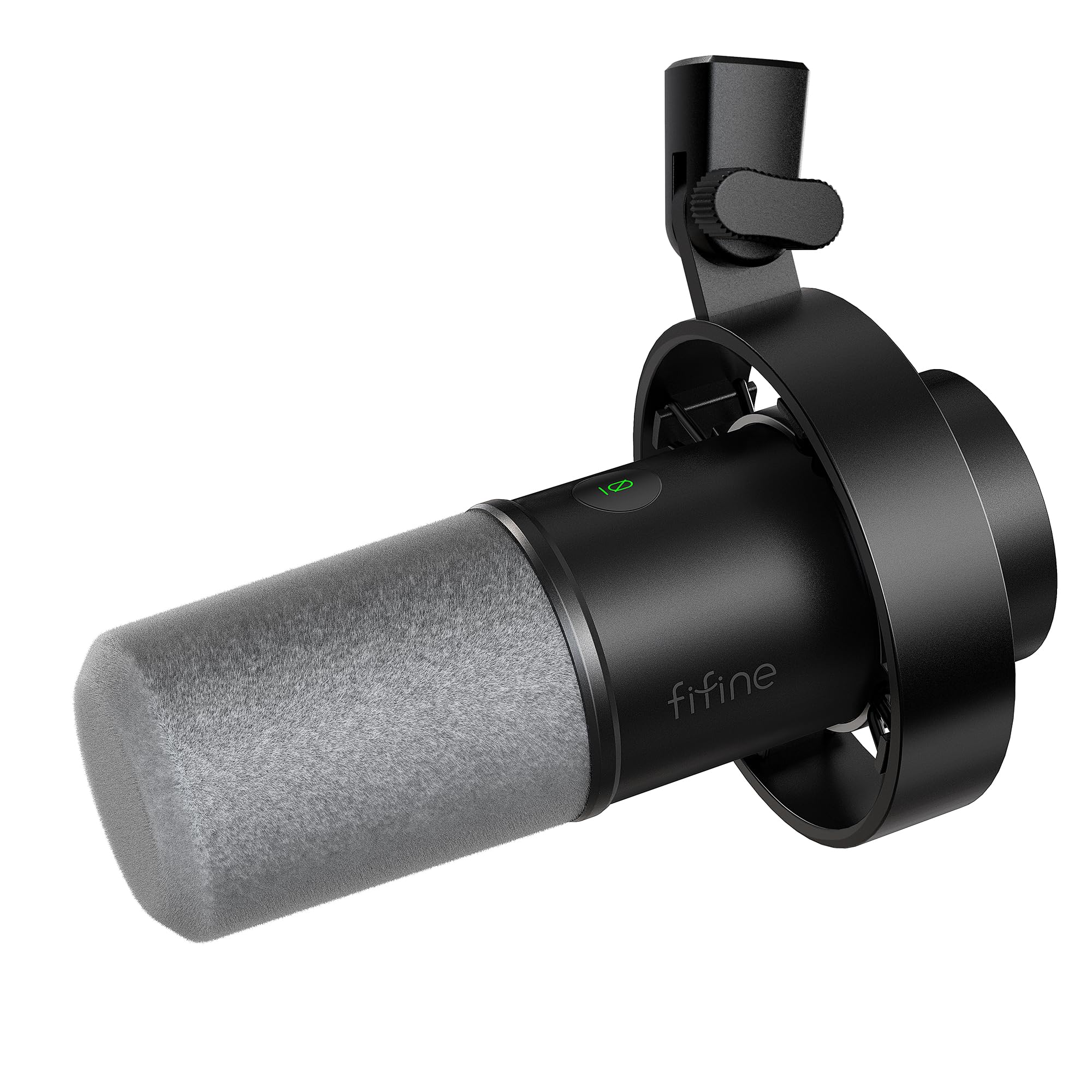
- Supports both USB and XLR connections.
- USB mode provides mute, gain, and headphone monitoring controls.
- Includes a shock mount and windscreen.
Best For: Podcast and voiceover users who want USB controls now and an XLR connection for mixer use.
FIFINE K683A USB Desktop Microphone

- Provides gain adjustment, instant mute, and headphone monitoring.
- Includes a pop filter and foldable tripod stand.
- Connects to USB-A or USB-C devices without an extra driver.
Best For: People who want a USB desktop mic with mute, gain, and headphone monitoring for calls or recording.
FIFINE K658 USB Gaming Dynamic Microphone
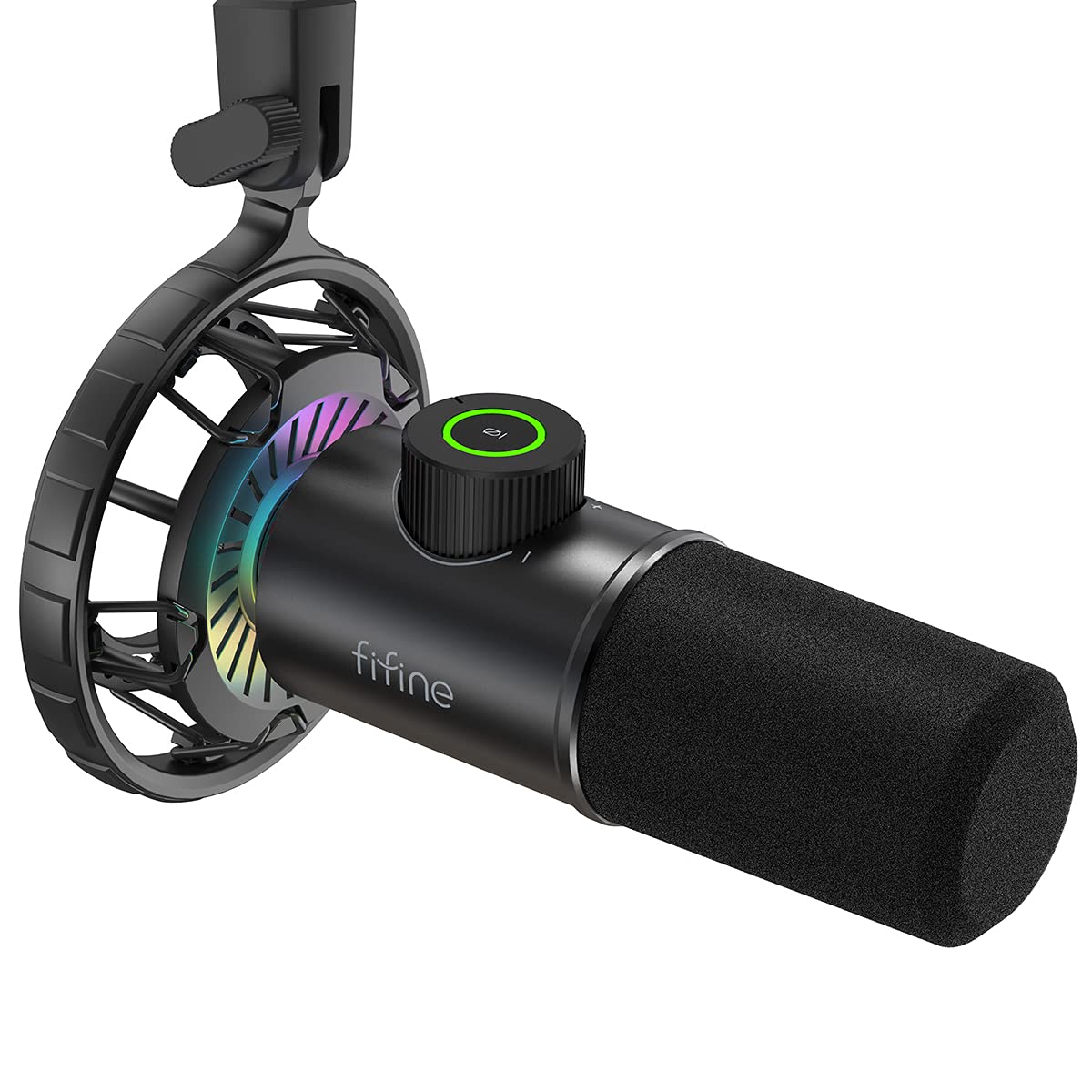
- Has quick mute, gain adjustment, and headphone monitoring.
- Includes a shock mount and foam windscreen.
- Uses a USB cable measuring 8.2 feet.
Best For: Streamers who want a dynamic USB mic with quick mute, headphone monitoring, and a shock mount.
Flexible USB and XLR Setup
Samson Q2U Dynamic USB-C/XLR Microphone
The Samson Q2U offers a useful path from direct computer recording to a mixer or audio interface. Its USB-C connection plugs directly into a computer with a USB-C interface, while XLR gives you another way to connect as a setup grows.
The pack includes a tripod desktop stand, extension, clip, windscreen, and both USB-C and XLR cables. That makes it a practical choice for podcasting or spoken recording when you want the core connections and accessories together.
Check that your computer has the required USB-C interface, or plan on using the included XLR cable with suitable equipment.
Best For: People who want a handheld dynamic mic that can connect by USB-C or XLR.
| Pros | Cons |
|---|---|
|
|
Choose the Q2U if you want a dynamic handheld microphone with a straightforward USB-C route and an included XLR cable for another setup. Its stand and windscreen suit a compact desktop recording space.
Before buying, confirm the computer’s USB-C interface matches your needs; the product details do not clarify USB-A support or give a pickup pattern or frequency response. Those unknowns matter if you are comparing it with desk-focused condenser microphones.
Software-Controlled Dynamic Kit
MAONO XLR/USB Dynamic Microphone Kit, RGB Podcast Mic with Software, Mute, Gain Knob, Volume Control, Boom Arm for Streaming, Gaming, Voice-Over, Recording-PD200XS Black
The MAONO PD200XS combines a dynamic microphone with USB and XLR connections, a boom arm, mute control, and headphone monitoring. In USB mode, MAONO Link provides EQ, limiter, and compressor adjustments, plus nine RGB color choices.
The microphone has a 3.5mm headphone jack and a knob for mic gain and headphone volume. The included 2.5m USB-C cable supports plug-and-play use with a desktop or laptop.
Its XLR output can connect to mixers and interfaces, but the XLR cable is not included, so budget for one if you plan to use that connection.
Best For: Streamers and podcasters who want USB controls, software adjustments, and a boom arm in the box.
| Pros | Cons |
|---|---|
|
|
Pick the PD200XS if you want a boom arm, USB monitoring, and software sound controls in a dynamic mic kit. It also keeps an XLR connection available for a mixer or interface, though you need to supply the XLR cable.
The software adjustments apply in USB mode, so check which connection you expect to use most. It is a more feature-rich desk setup than a bare microphone, with RGB and adjustment options that may be unnecessary for simpler calls.
Four Recording Patterns
JLab Talk Pro USB Microphone, USB-C Output, Cardioid, Omnidirectional, Stereo, Bidirectional, 192k Sample Rate, 20Hz-20kHz Frequency Response, Volume, Gain Control, Quick Mute, Plug & Play
The JLab Talk Pro is a USB-C desktop microphone with four directional pattern modes: cardioid, omni, stereo, and bidirectional. That selection can accommodate solo voice recording, two-sided conversation, or broader group audio without changing microphones.
It includes gain and volume controls, quick mute, and a 3.5mm input for real-time listening. Its USB-C cable is 10 feet long, and a standard 5/8-inch input supports mounting on a tripod or other stand.
This is a condenser mic with more recording-mode flexibility than a basic single-pattern desktop model. Check how you plan to position it and which pattern suits the room.
Best For: People recording solo or with multiple speakers who want several pickup patterns in one USB mic.
| Pros | Cons |
|---|---|
|
|
Choose the Talk Pro when switching between solo speech and multi-person recording is a priority. Four patterns, onboard gain and volume, and real-time headphone listening give it a broader role than a fixed-pattern USB mic.
It does not include a stated stand, though its 5/8-inch input supports mounting on a tripod or other stand. Confirm your mounting plan and whether USB-C fits your computer before buying.
Straightforward Budget Desktop Mic
FIFINE USB Microphone, Metal Condenser Recording Microphone for MAC OS, Windows, Cardioid Laptop Mic for Recording Vocals, Voice Overs, Streaming, Meeting and YouTube Videos-K669B
The FIFINE K669B is a simple USB condenser microphone with a metal body, a tripod stand, and an onboard volume knob. It connects directly to a USB-A port and includes a 5.9-foot cable.
Its cardioid pickup pattern focuses on the voice in front of the microphone, and the USB-powered design does not need 48V phantom power. The microphone works with desktop computers, laptops, and PS4 or PS5, but it is not compatible with Xbox or phones.
This is a useful low-cost option for desk recording when you do not need an arm stand or XLR connection.
Best For: Budget-minded buyers who need a compact USB mic for voice chat, streaming, or everyday recording.
| Pros | Cons |
|---|---|
|
|
The K669B suits a basic desk setup for voice chats, streams, or recording when low cost and simple controls matter most. Its tripod base occupies desk space, and it does not provide the boom arm, mute button, or headphone monitoring found on some pricier kits.
Check your computer’s available port, since the included cable connects to USB-A, and skip it if you need phone or Xbox compatibility.
Compact RGB Dynamic Mic
FIFINE XLR/USB Gaming Microphone for Streaming Podcasting, PC Computer RGB Mic, with Gain Knob, Mute Button, Monitoring Jack, Gamer Mic for Recording Video Creation-AmpliGame AM8 White
The white FIFINE AmpliGame AM8 is a dynamic microphone with both USB and XLR connectivity. In USB mode, it offers RGB lighting, a tap-to-mute control, gain adjustment, and headphone volume control through the headphone jack.
The compact desktop design suits a white gaming setup, and the microphone can also serve podcasting and voiceover work. RGB and the listed onboard controls are tied to USB use, so they should not be assumed to carry over through XLR.
The supplied details do not identify included stand or cable accessories, making those worth checking before planning a desk installation.
Best For: Streamers who want USB controls and RGB with an option to connect to XLR equipment later.
| Pros | Cons |
|---|---|
|
|
Choose this AM8 if you want a white dynamic mic, USB controls, and an XLR option for future mixer or interface use. The practical tradeoff is that RGB and the listed controls are USB-only, while included mounting accessories are not identified in the supplied details.
Confirm what comes in the box and how you will mount it before buying, especially if you expect a complete boom-arm kit.
Boom-Arm Gaming Bundle
FIFINE Gaming PC USB Microphone, Podcast Condenser Mic with Boom Arm, Pop Filter, Mute Button for Streaming, Twitch, Online Chat, RGB Computer Mic for PS4/5 PC Gamer Youtuber-AmpliGame A6T
The FIFINE AmpliGame A6T is a USB condenser microphone kit aimed at gaming and streaming. It includes a boom arm, pop filter, shock mount, C-clamp, and an 8.2-foot USB cable, so it can be brought closer to the speaker and folded away when not in use.
A touch-mute control and a large volume knob sit on the mic. The cardioid pattern focuses on front-facing voice, and the product is described as compatible with Windows, Mac, PS4, and PS5.
Check that the desk is within the stated clamp fit and that USB is the connection you need, since there is no XLR connection listed.
Best For: PC and console gamers who want a condenser mic, boom arm, and quick controls in one kit.
| Pros | Cons |
|---|---|
|
|
This A6T bundle is a good fit if you want to keep a gaming mic off the desk surface and close to your voice. The arm, shock mount, and pop filter add setup flexibility, while USB connection keeps the path simple for compatible computers and consoles.
Check the desk thickness against the clamp limit and plan for USB-only use. If you prefer a freestanding mic or need an XLR route, this kit is less suited to that setup.
XLR Upgrade Without a Boom Arm
FIFINE Dynamic Microphone, XLR/USB Podcast Recording PC Microphone for Vocal Voice-Over Streaming, Studio Metal Mic with Mute, Headphone Jack, Monitoring Volume Control, Windscreen-Amplitank K688
The FIFINE AmpliTank K688 is a dynamic microphone with USB and XLR connectivity, USB mute and gain controls, and a headphone jack for real-time monitoring. The included shock mount and windscreen help with desk vibration and plosive sounds, while the cardioid pattern focuses on sound in front.
Its USB cable is 8.2 feet long. The package does not include a boom arm, mic stand, or XLR cable, so this is not a complete desk mounting kit.
Use USB for direct computer recording, or add the appropriate equipment and cable for XLR use.
Best For: Podcast and voiceover users who want USB controls now and an XLR connection for mixer use.
| Pros | Cons |
|---|---|
|
|
Choose the K688 if you want a dynamic mic that can start with USB recording and also connect by XLR later. It includes a shock mount and windscreen but leaves the mounting stand and XLR cable to you, so account for those additions when comparing it with bundled kits.
Its onboard controls are useful in USB mode; XLR use calls for separate equipment and cable, and does not preserve those USB controls.
Desktop Mic with Monitoring Controls
FIFINE USB Desktop PC Microphone with Pop Filter for Computer and Mac, Studio Condenser Mic with Gain Knob Mute Button Headphone Jack for Gaming Streaming Recording YouTube, Extra USB-C Plug-K683A
The FIFINE K683A is a USB condenser microphone with a foldable tripod stand, pop filter, gain knob, mute button, and headphone jack for real-time monitoring. Its cardioid pattern is designed to focus on the sound in front, and it can connect to compatible USB-A or USB-C devices without an extra driver.
The included cable is 6.56 feet long. It works with PS4, Mac, and Windows PCs, but not Xbox.
This desktop format avoids a boom arm, though it takes space on the desk. Speak toward the side marked with the Fifine logo for the intended pickup orientation.
Best For: People who want a USB desktop mic with mute, gain, and headphone monitoring for calls or recording.
| Pros | Cons |
|---|---|
|
|
The K683A makes sense for calls, streaming, or recording when direct USB connection and useful onboard controls matter more than boom-arm positioning. The foldable tripod, pop filter, and headphone jack give it a well-rounded desktop setup.
Check that your device is among the supported platforms, and note its front-facing cardioid orientation. If you want to reclaim desk space with an arm or need Xbox support, look to a different option.
Dynamic Mic with Direct Monitoring
FIFINE USB Gaming Microphone, RGB Dynamic Mic with Tap-to-Mute & Headphone Jack, Plug & Play Cardioid Mic for PC PS4/5, Streaming Podcast Twitch YouTube Discord - for Gamers and Youtubers - K658
The FIFINE K658 is a USB dynamic microphone with a cardioid pickup pattern, tap-to-mute control, gain knob, and 3.5mm headphone jack. Its shock mount is intended to absorb desk vibration, and a foam windscreen helps reduce plosive sounds.
The included USB cable is 8.2 feet long, while the stand is not included. The microphone is compatible with Windows, Mac, and PlayStation consoles, but Xbox is excluded.
It is designed for close recording, with a suggested distance of 2 to 4 inches, so consider whether that speaking position suits your desk and streaming habits.
Best For: Streamers who want a dynamic USB mic with quick mute, headphone monitoring, and a shock mount.
| Pros | Cons |
|---|---|
|
|
The K658 suits a close-mic streaming position where quick muting and headphone monitoring are useful. Its dynamic capsule and cardioid pattern are intended for voice-focused recording, while the included shock mount and windscreen address desk vibration and plosives.
The major practical extra is a stand, which is not included. Check the suggested 2 to 4 inch recording distance and make sure your console is supported before buying.
How to Choose Usb Microphones Under 100
How We Picked USB Microphones Under $100
The selection emphasizes microphones with a direct USB route for computer recording, streaming, calls, or podcasting. We included several distinct approaches: dynamic handheld designs, desktop condensers, multi-pattern mics, and bundled options with arms or stands.
Each candidate stays under the $100 price ceiling in the supplied snapshot, though prices can change.
Practical setup details shaped the choices. USB-only models keep connection simple, while USB/XLR microphones give you a route to use an interface or mixer.
We also considered whether useful controls and accessories are built in, such as mute, gain, headphone monitoring, pop filters, shock mounts, and boom arms. Compatibility limits and missing accessories matter because they can change the cost or fit of an otherwise suitable microphone.
Comparing USB Microphones Under $100
The biggest difference is microphone type and setup. Dynamic models such as the Samson Q2U, MAONO PD200XS, and FIFINE K688 offer USB plus XLR, while the FIFINE K669B and K683A are USB condenser desk mics.
The JLab Talk models distinguish themselves with four pickup patterns, useful when you need to switch between solo voice and shared recording.
Included mounting gear also varies. The A6T kit arrives with a boom arm, pop filter, and shock mount, while the K658 includes a shock mount but not a stand.
Desktop models like the K683A and K669B use a tripod base. Check clamp fit, cable type, and whether the stand you need is actually included before choosing.
| Product | Standout features | Best for |
|---|---|---|
| Samson Q2U Dynamic USB-C/XLR MicrophoneCheck Price |
| People who want a handheld dynamic mic that can connect by USB-C or XLR. |
| MAONO PD200XS XLR/USB Dynamic Microphone KitCheck Price |
| Streamers and podcasters who want USB controls, software adjustments, and a boom arm in the box. |
| JLab Talk Pro USB MicrophoneCheck Price |
| People recording solo or with multiple speakers who want several pickup patterns in one USB mic. |
| FIFINE K669B USB MicrophoneCheck Price |
| Budget-minded buyers who need a compact USB mic for voice chat, streaming, or everyday recording. |
| FIFINE AmpliGame AM8 WhiteCheck Price |
| Streamers who want USB controls and RGB with an option to connect to XLR equipment later. |
| FIFINE AmpliGame A6T USB Microphone KitCheck Price |
| PC and console gamers who want a condenser mic, boom arm, and quick controls in one kit. |
| FIFINE AmpliTank K688 Dynamic MicrophoneCheck Price |
| Podcast and voiceover users who want USB controls now and an XLR connection for mixer use. |
| FIFINE K683A USB Desktop MicrophoneCheck Price |
| People who want a USB desktop mic with mute, gain, and headphone monitoring for calls or recording. |
| FIFINE K658 USB Gaming Dynamic MicrophoneCheck Price |
| Streamers who want a dynamic USB mic with quick mute, headphone monitoring, and a shock mount. |
Choosing a USB Mic for Streaming or Podcasting
For gaming or live streaming, easy mute access and gain adjustment can be more useful than a long feature list. The MAONO PD200XS and FIFINE AM8 put controls on the mic, while the K658 adds headphone monitoring and a visible mute indicator.
If you want software control, the PD200XS offers EQ, limiter, and compressor adjustments in USB mode.
For podcasts or voiceovers, consider whether you record alone or with other people. A cardioid mic such as the K669B focuses on a voice in front of it, while the JLab Talk Pro can switch to omni, stereo, or bidirectional patterns.
Multi-pattern flexibility is useful for shared recording, but placement and room sound still affect what the mic captures.
USB-C, XLR, and Desk Setup Considerations
USB-C can make a direct computer connection convenient, but the connector at the computer end matters. The Samson Q2U includes a USB-C cable, and the JLab Talk Pro has a USB/USB-C cable; the K669B connects directly to USB-A.
Check your computer ports and cable requirements before ordering.
An XLR connection is useful if you plan to work with a mixer or audio interface, but it may require a separate cable and other equipment. The K688 has USB and XLR yet does not include a stand or XLR cable.
The PD200XS includes a boom arm and USB cable, but its XLR cable is also separate. For a clear desk, a boom arm can bring the microphone closer and fold away; confirm the clamp fits your desk.
Who Should Buy Which USB Microphone?
Choose the Samson Q2U if you want a handheld dynamic microphone with USB-C, XLR, and key accessories in one pack. The MAONO PD200XS fits streamers who want a boom arm, monitoring, and USB software controls.
Pick a JLab Talk model if choosing among four pickup patterns is central to your recording.
For a simple, low-cost desk setup, the FIFINE K669B keeps operation straightforward with a tripod and volume knob. The K683A adds mute, gain, and headphone monitoring for calls or recording.
Gamers who prefer a close mic on an arm can consider the FIFINE A6T kit, while the K658 is a stand-free dynamic option if you already have a compatible mount.