The best wireless mice range from simple portable pointers to programmable gaming and ergonomic work models, so the right choice depends on how you use a desk or laptop. Compare connection options, shape, controls, and charging details to find a mouse that fits your devices and daily routine.
Quick Top Products
ESR MagMouse Snap-to-Carry
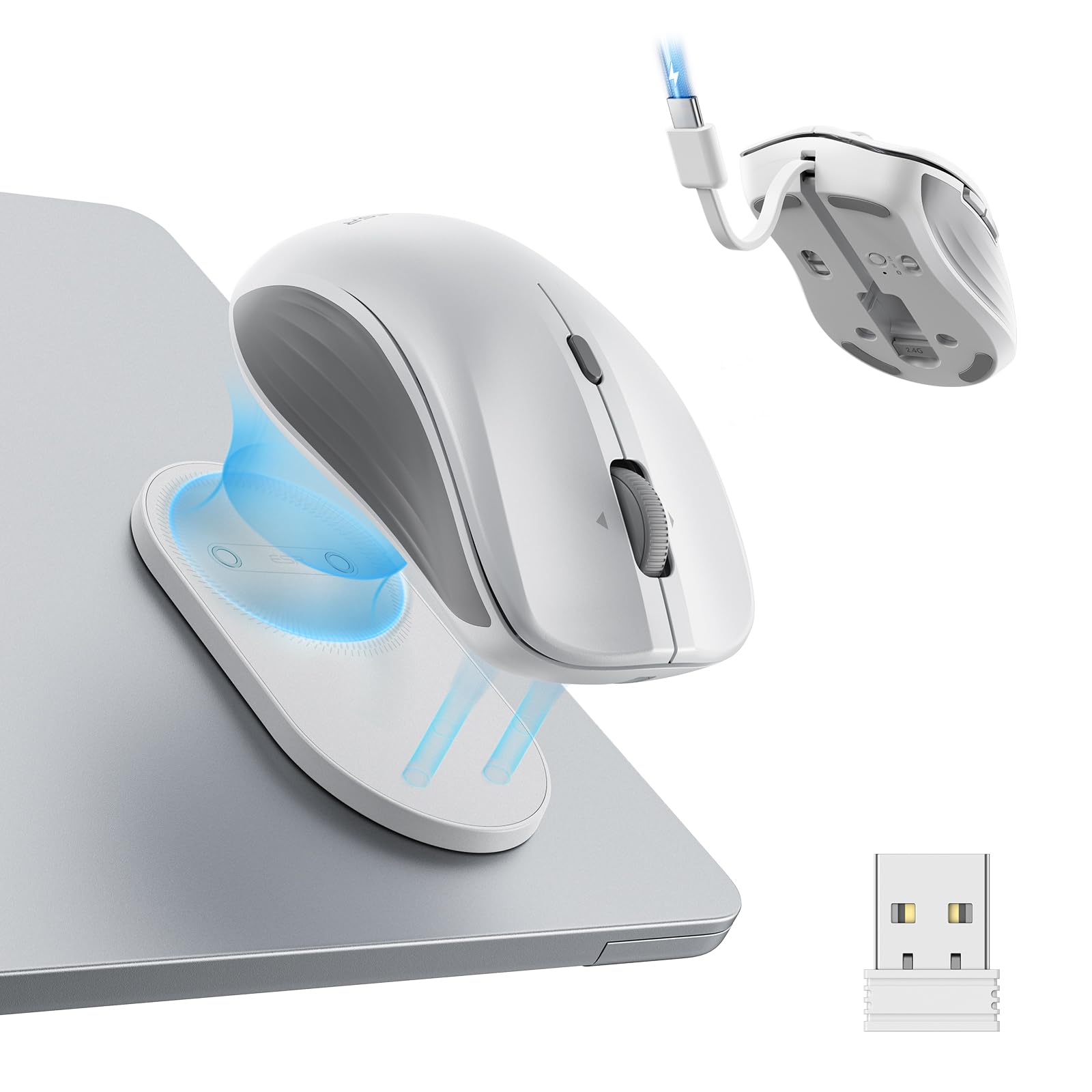
- Attaches magnetically to a reusable adhesive holder for carrying.
- Connects by Bluetooth 5.0 or 2.4 GHz dongle.
- Has four-way scrolling for documents and wide workspaces.
Best For: Laptop users who want a travel mouse with an attached holder and flexible scrolling.

JLab GO Charge Wireless Mouse
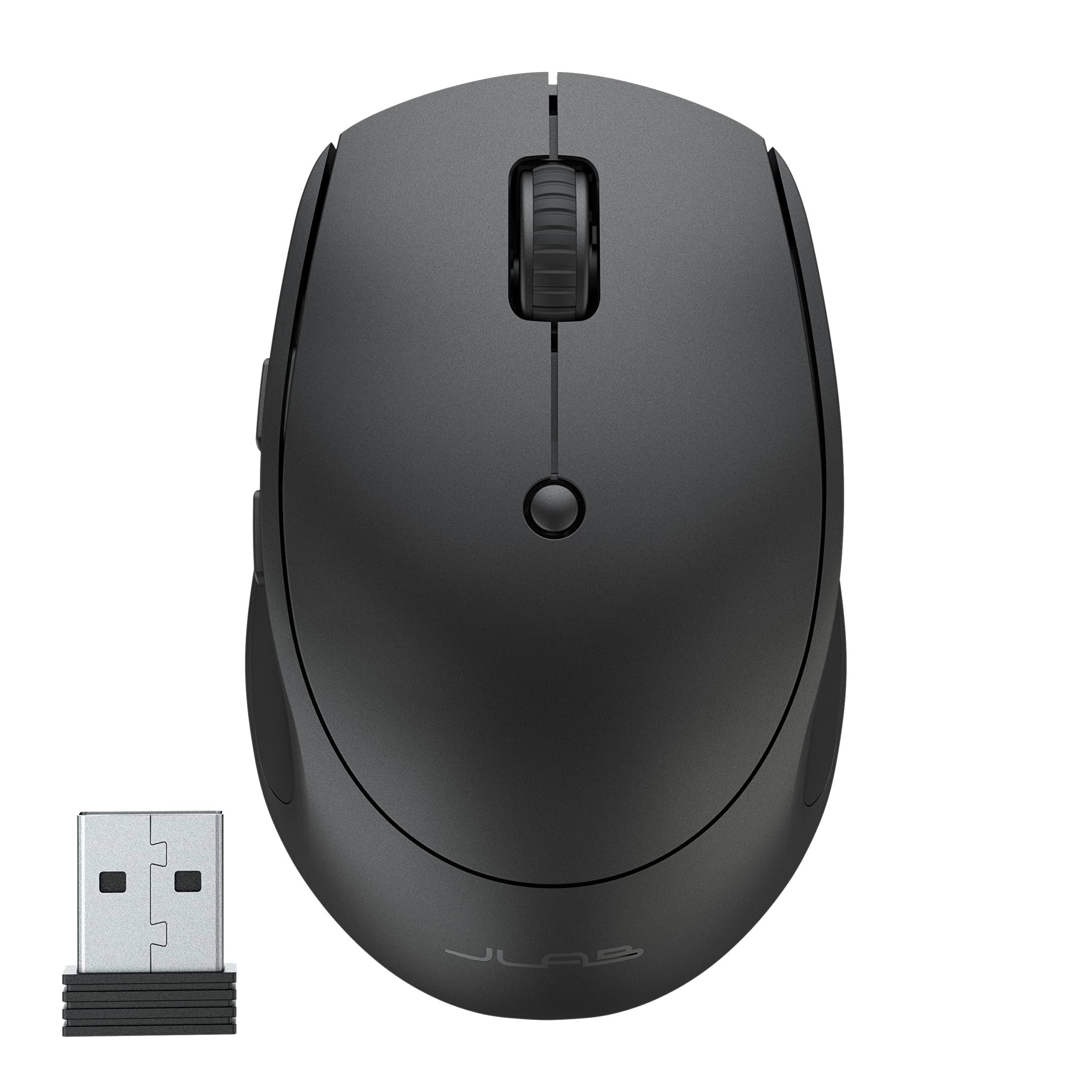
- Connects to three devices through Bluetooth or a USB dongle.
- Battery life is rated at 4+ months per charge.
- Compact build and silent clicks suit portable work.
Best For: Mobile workers who want a compact mouse, quiet clicks, and multi-device switching.
JLab JBuds Wireless Mouse
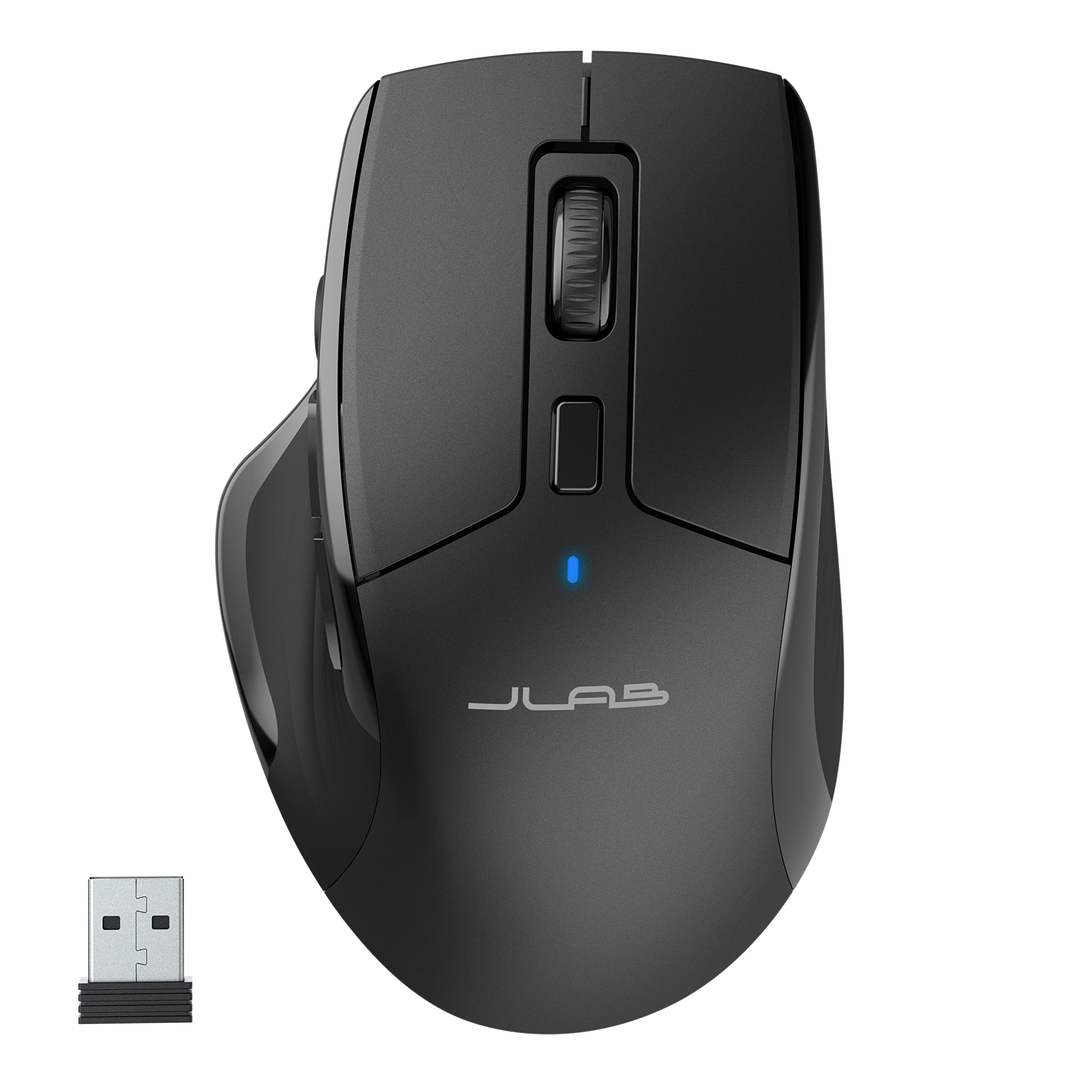
- Connects to up to three devices over Bluetooth 5.2 or USB dongle.
- Includes seven programmable buttons and adjustable tracking.
- Silent click buttons reduce noise in shared spaces.
Best For: Office users who want a full-size shape, quiet buttons, and programmable controls.
JLab Epic Wireless Mouse
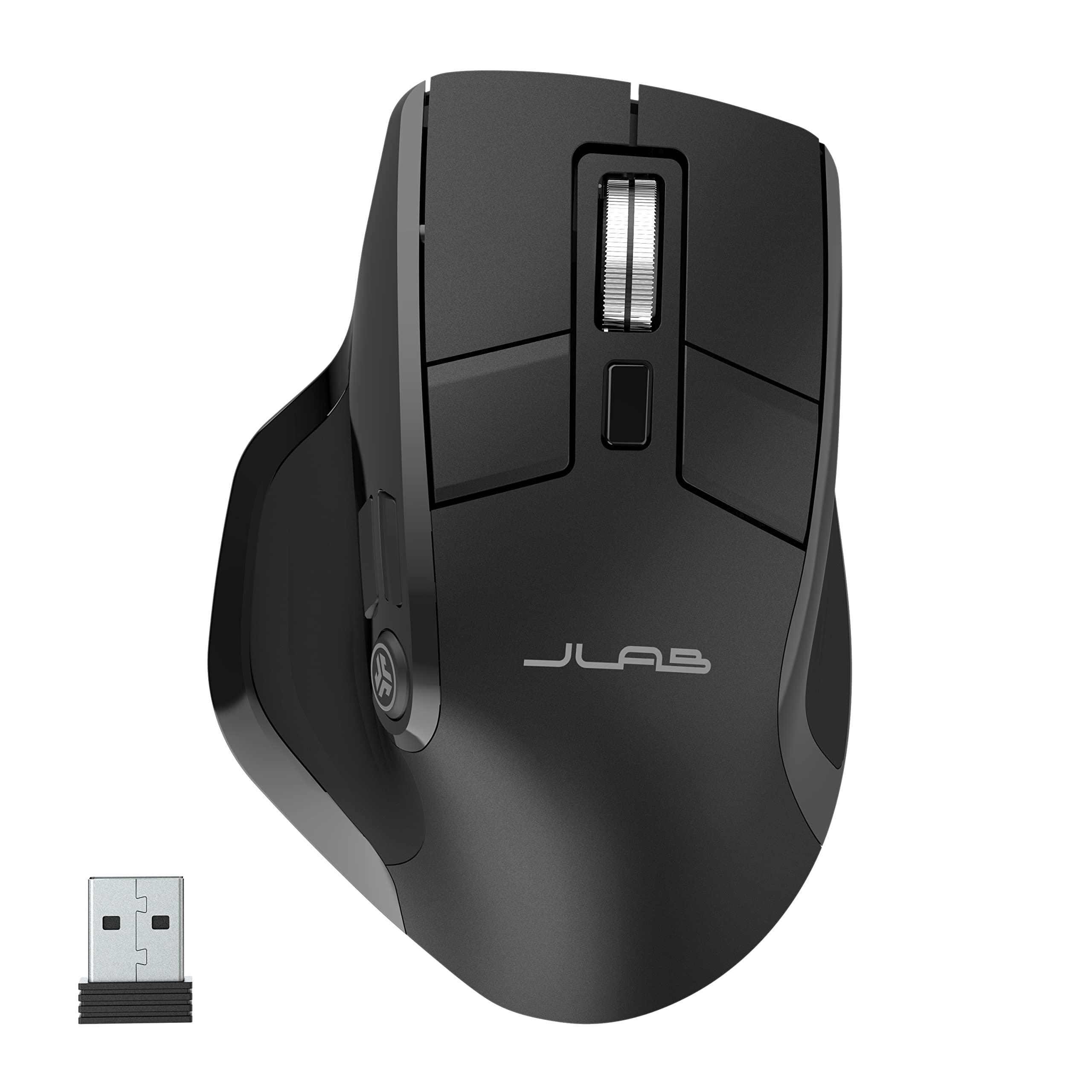
- OLED display shows current DPI and battery level.
- Pairs with up to three devices over Bluetooth or dongle.
- Full-size ergonomic shape has silent click buttons.
Best For: Desk users who want battery and DPI status visible on the mouse.
JLab Epic Wireless Mouse 4-Pack
- Each mouse supports Bluetooth and a USB wireless dongle.
- The OLED display accompanies multi-device support.
- Rechargeable battery provides up to 10 hours per charge.
Best For: Buyers who specifically need multiple identical full-size mice with multi-device support.
SABRENT Mini Travel Mouse
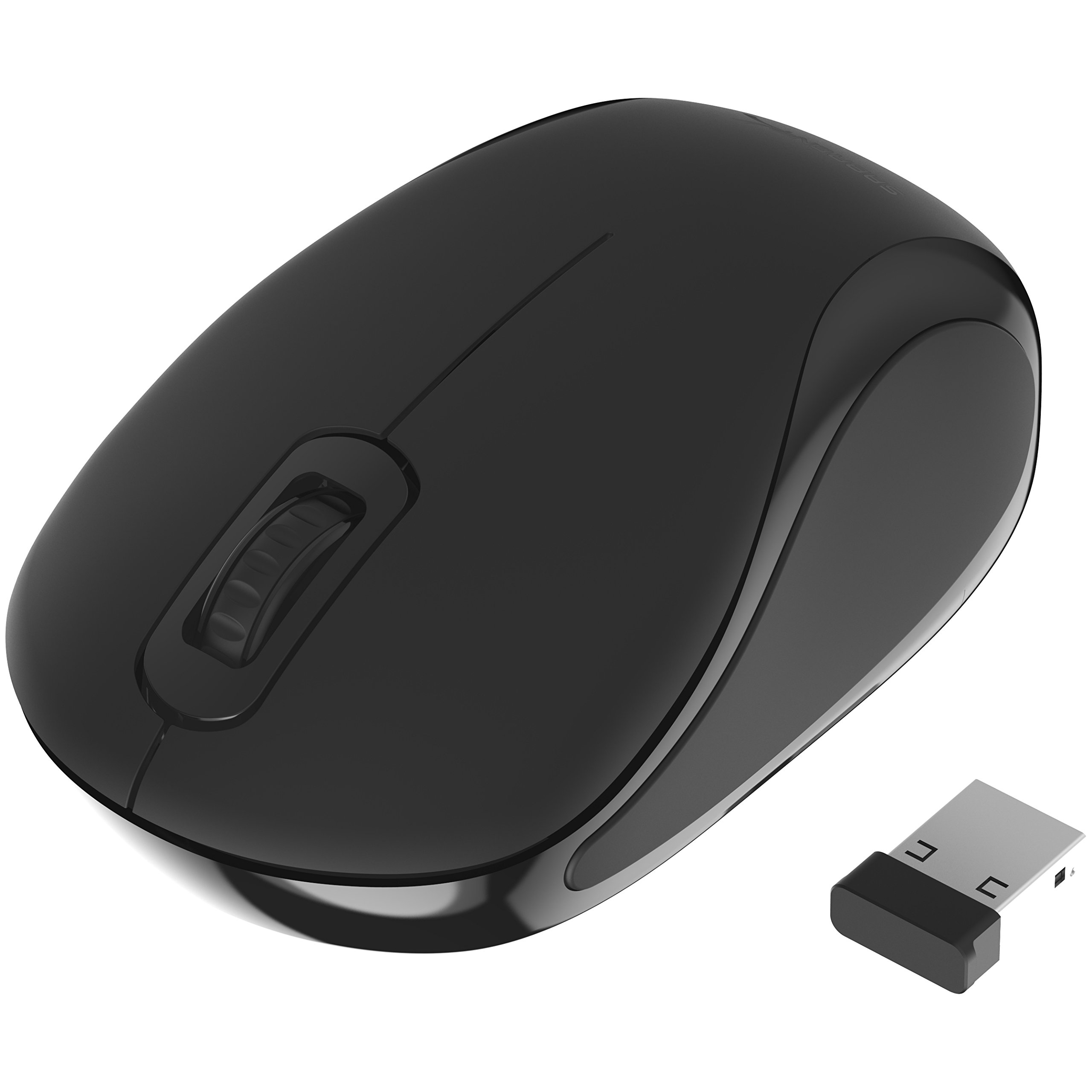
- Compact design includes a nano receiver.
- Optical tracking has 1200 dpi sensitivity.
- Ambidextrous shape works for either hand.
Best For: Travelers who want a basic, ambidextrous mouse with a small receiver.
SABRENT Rechargeable Wireless Mouse
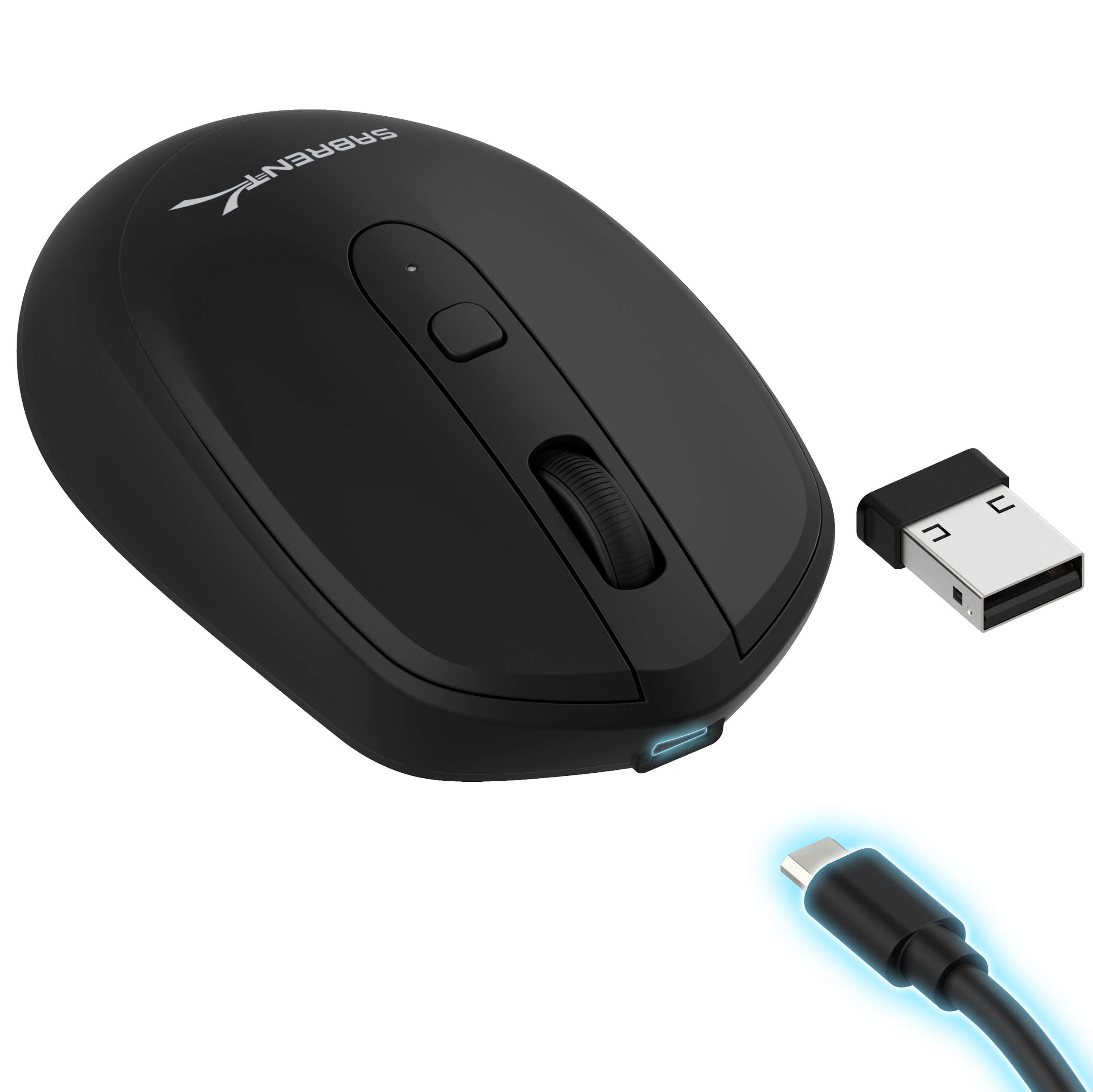
- Offers three DPI settings: 800, 1200, and 1600.
- Has a rechargeable 600 mAh lithium battery.
- Uses 2.4 GHz wireless transmission.
Best For: Budget-conscious buyers who want a basic rechargeable mouse with adjustable DPI.
SteelSeries Aerox 3 Wireless

- 68 g lightweight design uses a holey shell.
- Supports 2.4 GHz and Bluetooth 5.0 wireless.
- Three-zone RGB supports configurable colors.
Best For: Players who want a lightweight gaming mouse with Bluetooth and 2.4 GHz options.
SteelSeries Aerox 5 Wireless
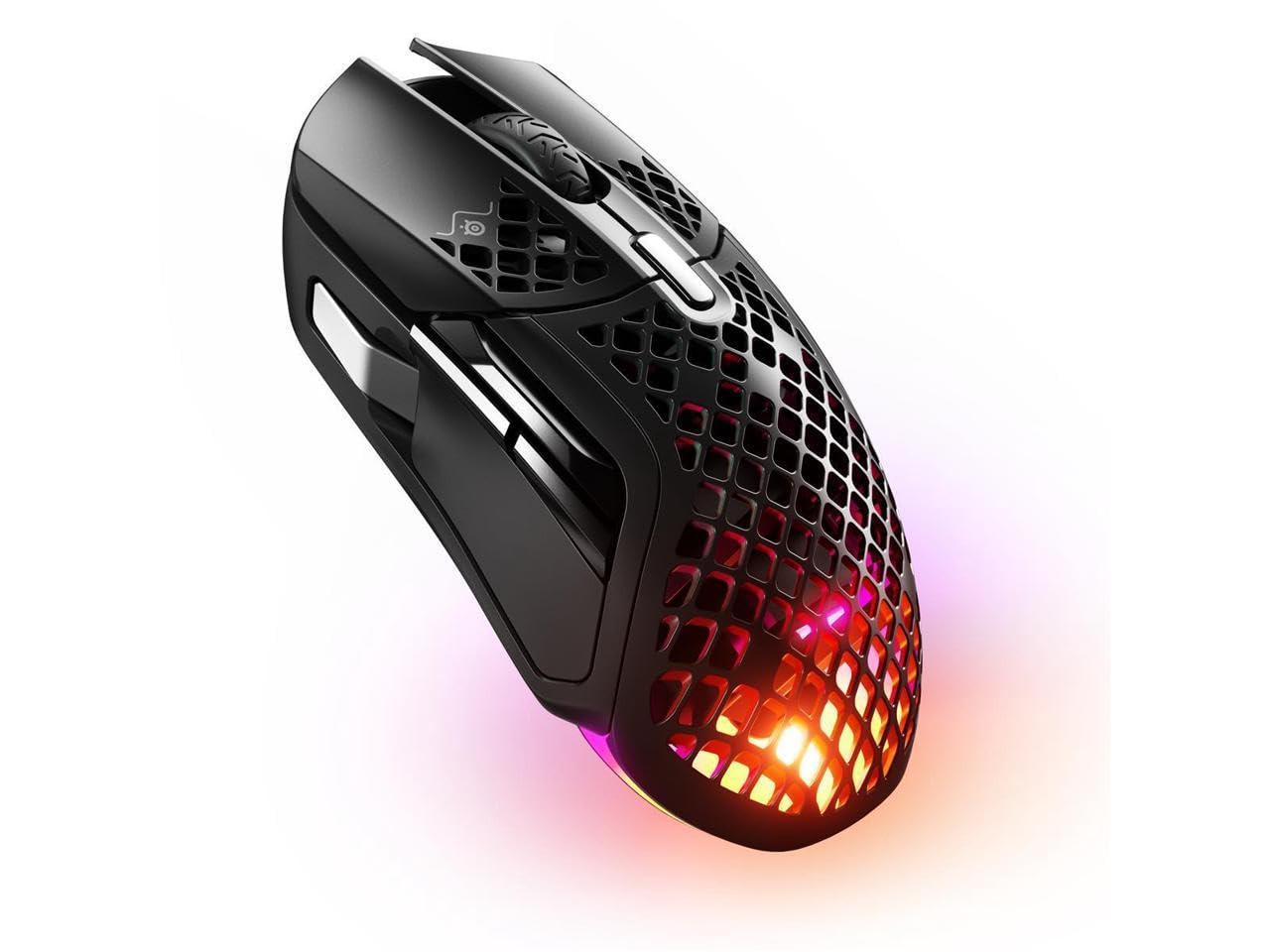
- Nine programmable buttons include side controls and a flick switch.
- Weighs 74 g with a holey shell.
- Connects over Bluetooth 5.0 or 2.4 GHz.
Best For: Players who want programmable gaming buttons and both Bluetooth and 2.4 GHz.
SteelSeries Aerox 9 Wireless
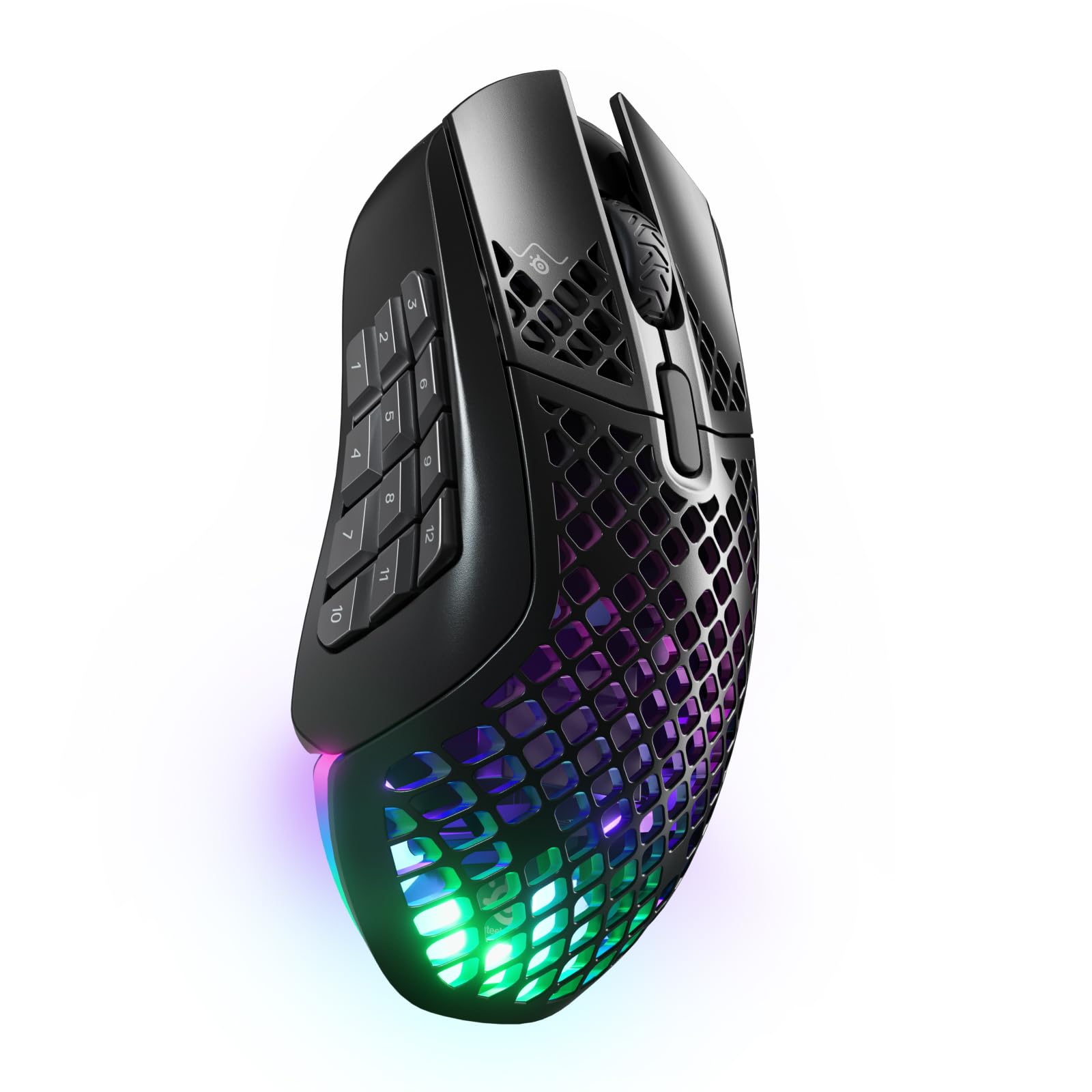
- Includes 18 programmable buttons and a 12-button side panel.
- Supports 2.4 GHz and Bluetooth 5.0.
- Battery life is rated at 180 hours.
Best For: Players who want many programmable inputs for gaming or shortcut-heavy work.
Magnetic Carry-and-Charge Design
ESR MagMouse Snap-to-Carry Bluetooth Mouse, Wireless Mouse for Laptop | Rechargeable Mouse with Built-in Charging Cable, Reusable Adhesive Holder, BT 5.0 + 2.4 GHz Connectivity, Ergonomic, White
The ESR MagMouse is built around an easy-to-carry setup: its magnetic base attaches to a reusable adhesive holder, and the mouse has a built-in USB-C charging cable. It connects through Bluetooth 5.0 or a 2.4 GHz dongle, giving laptop users two wireless options.
Six DPI settings cover everyday cursor work and more detailed tasks, while four-way scrolling can help with wide spreadsheets and timelines. The compact travel focus comes with a practical check: the holder attaches with adhesive, so consider where you want to keep it before sticking it to a device or case.
Best For: Laptop users who want a travel mouse with an attached holder and flexible scrolling.
| Pros | Cons |
|---|---|
|
|
Choose this model if a tidy travel setup and side-to-side scrolling matter more than an especially simple mouse shape. Its magnetic holder, attached charging cable, and Bluetooth or dongle connections address common mobile-work needs.
Before buying, check whether the adhesive holder suits the laptop, case, or other surface where you plan to keep it, and confirm compatibility with your device.
Compact Mouse With Long Battery Life
JLab, GO Charge, Wireless Mouse, Bluetooth, USB Dongle, Multi-Device, Compact, Rechargeable, Black
JLab's GO Charge is a compact wireless mouse for work on the move. It pairs with up to three devices through Bluetooth 5 or a USB wireless dongle, then lets you switch between them.
The rechargeable battery is rated for 4+ months per charge, and silent click buttons suit shared offices or calls. Adjustable DPI lets you set cursor speed for different tasks.
Its small form is easy to pack, but anyone who prefers a full-size grip should compare its compact design with their usual mouse before choosing it.
Best For: Mobile workers who want a compact mouse, quiet clicks, and multi-device switching.
| Pros | Cons |
|---|---|
|
|
This is a practical fit for a laptop bag, especially if you switch among a computer, tablet, and phone and value quiet clicks. Its battery-life figure and compact build distinguish it from full-size office mice.
Check that the smaller form fits your hand comfortably, and confirm that the DPI adjustment range suits your work since no numeric range is provided.
Full-Size Multi-Device Work Mouse
JLab, JBuds, Wireless Mouse, Bluetooth, USB Dongle, Multi-Device, Silent Click, Full-Size, Black
The JLab JBuds pairs a full-size ergonomic shape with wireless flexibility for a multi-device desk. It connects over Bluetooth 5.2 or a USB wireless dongle and can link to up to three devices.
Seven programmable buttons and adjustable DPI tracking allow the controls and cursor speed to fit different work tasks, with profiles managed through the JLab Work app. Silent click buttons are useful in shared spaces.
The mouse is rechargeable, though the battery runtime and charging time are not specified, so check whether those details matter for your routine.
Best For: Office users who want a full-size shape, quiet buttons, and programmable controls.
| Pros | Cons |
|---|---|
|
|
Choose the JBuds if you want a conventional full-size mouse with quiet clicks and controls you can remap. Its three-device support suits a desk shared across a computer and other devices, while app profiles can adapt button assignments to tasks.
Check battery runtime and charging details before buying if you need predictable use between charges; those figures are not provided here.
OLED Status and Profile Controls
JLab, Epic, Wireless Mouse, Bluetooth, Multi-Device, OLED Display, Full-Size
The JLab Epic combines a full-size ergonomic shape with an OLED display that shows battery level and current DPI. That visible status can be useful if you adjust cursor speed for different work, and the JLab Work app can save up to three custom profiles.
It pairs with as many as three devices over Bluetooth 5.2 or a USB dongle, and silent clicks suit quieter work areas. The rechargeable 800 mAh battery avoids disposable cells, but the supplied details do not give a runtime or charge duration, so frequent travelers may want to confirm those before choosing it.
Best For: Desk users who want battery and DPI status visible on the mouse.
| Pros | Cons |
|---|---|
|
|
The Epic is a strong match for a multi-device desk where you want to see battery and DPI status without opening software. The OLED display and custom profiles set it apart from simpler rechargeable mice.
Its battery capacity is given, but runtime is not; check that detail if long stretches away from a charger are part of your workday.
Full-Size Mouse With OLED Display
JLab Epic Wireless Mouse, Bluetooth & USB dongle, Multi-Device, OLED Display, Full-Size, 4 Pack
This offer groups four JLab Epic wireless mice, each presented with Bluetooth and USB dongle connectivity, multi-device support, an OLED display, and a full-size design. Those features make the individual mouse relevant for work across multiple devices, while adjustable scrolling and tracking sensitivity offer some control over use.
The supplied notes give up to 10 hours of use per charge. Because this is a four-pack, it suits buyers furnishing several workstations or needing spares better than someone shopping for one everyday mouse.
Check the package quantity and charging expectations before purchase.
Best For: Buyers who specifically need multiple identical full-size mice with multi-device support.
| Pros | Cons |
|---|---|
|
|
Consider this offer if you need several matching mice for a shared workspace or multiple computers. The OLED display, adjustable tracking, and Bluetooth or dongle connections are useful features on each unit, but the four-pack is a poor fit for a single-mouse purchase.
Compare the stated battery duration with how often you can recharge, and confirm the bundle quantity meets your needs.
Simple Compact Travel Mouse
SABRENT Mini Travel 2.4GHz Wireless Mouse with Nano Receiver (MS-WSML)
The SABRENT Mini Travel is a straightforward option for laptop users who want a compact 2.4 GHz wireless mouse. It includes a nano receiver and uses optical tracking with 1200 dpi sensitivity.
Its ambidextrous shape can suit either hand, and the listed 2-ounce weight supports a portable setup. It uses one AAA battery, so plan on carrying or sourcing a replacement rather than relying on a rechargeable design.
Its feature set is intentionally simple compared with programmable multi-device mice; check operating-system compatibility for your particular computer before buying.
Best For: Travelers who want a basic, ambidextrous mouse with a small receiver.
| Pros | Cons |
|---|---|
|
|
Pick this SABRENT for basic pointer use on the go when a small receiver and ambidextrous shape matter more than custom buttons or multi-device pairing. Its 1200 dpi tracking and 2-ounce weight are clearly specified.
It runs on a AAA battery, and the compatibility details name specific older Windows versions, so verify support for your current operating system before purchase.
Rechargeable 2.4 GHz Simplicity
SABRENT 2.4GHz Rechargeable Wireless Mouse with Adjustable Resolution (MS-RCWM)
This SABRENT mouse keeps its feature set focused: 2.4 GHz wireless, a rechargeable 600 mAh lithium battery, three buttons, and a DPI toggle. Its three sensitivity settings—800, 1200, and 1600—cover basic cursor-speed adjustment for common desktop tasks.
The rechargeable battery and fast-charging support avoid routine disposable-cell changes, though runtime and time to a full charge are not provided. It is a simple choice for one computer, rather than a multi-device setup with Bluetooth or programmable controls.
Check that a USB receiver connection suits your device.
Best For: Budget-conscious buyers who want a basic rechargeable mouse with adjustable DPI.
| Pros | Cons |
|---|---|
|
|
This is suited to a simple one-computer setup where adjustable cursor sensitivity and a rechargeable battery are enough. It avoids the extra controls and pairing options of pricier multi-device models.
Before choosing it, check that your device can use its 2.4 GHz receiver and whether the unspecified runtime and charge duration work for your schedule.
Lightweight Wireless Gaming
SteelSeries Aerox 3 Wireless - Holey RGB Gaming Mouse - Ultra-lightweight Water Resistant Design - 18K DPI TrueMove Air Optical Sensor -Snow
The SteelSeries Aerox 3 Wireless pairs a lightweight 68 g shell with a TrueMove Air optical sensor and two wireless modes. Its holey design is paired with water-splash, dust, and dirt shielding rated IP54, while Quantum 2.0 Wireless supports 2.4 GHz gaming and Bluetooth 5.0.
The listed battery life is 200 hours, and configurable three-zone RGB adds visual customization. This shape and feature mix targets gaming more than general office work.
If you also want one mouse for multiple computers, check how its two connection modes fit your switching needs.
Best For: Players who want a lightweight gaming mouse with Bluetooth and 2.4 GHz options.
| Pros | Cons |
|---|---|
|
|
Choose the Aerox 3 if gaming weight, wireless choice, and RGB matter more than office-specific controls. Its 68 g design and stated 200-hour battery life make it a distinct option among the wireless gaming candidates.
Check whether its holey shell and available connection modes fit your preferences, especially if you expect to move between several computers.
Gaming Mouse With Flexible Controls
SteelSeries Aerox 5 Wireless - Holey RGB Gaming Mouse - Ultra-lightweight Water Resistant Design - 9 Buttons – Bluetooth/2.4 GHz - 18K DPI TrueMove Air Optical Sensor
The Aerox 5 Wireless adds a more control-heavy layout to SteelSeries' lightweight gaming range. It has nine programmable buttons, including a side panel and an up/down flick switch, and weighs 74 g.
Quantum 2.0 Wireless provides 2.4 GHz and Bluetooth 5.0 connectivity, while its TrueMove Air sensor is paired with a battery-life figure of 180 hours. Three-zone RGB and IP54-rated shielding for water splashes, dust, and dirt round out the feature set.
Buyers should consider whether they will use the extra buttons, since they add complexity over a simpler gaming mouse.
Best For: Players who want programmable gaming buttons and both Bluetooth and 2.4 GHz.
| Pros | Cons |
|---|---|
|
|
The Aerox 5 suits players who will use a side panel and extra programmable inputs alongside conventional mouse control. It offers both wireless modes and a stated 180-hour battery life, with RGB and IP54-rated shielding.
If your games or work do not benefit from extra buttons, a simpler model may be easier to configure; check the shape and fit before committing.
18-Button Gaming and Shortcut Layout
SteelSeries Aerox 9 Wireless - Holey RGB Gaming Mouse - Ultra-lightweight Water Resistant Design - 18 Buttons – Bluetooth/2.4 GHz - 18K DPI TrueMove Air Optical Sensor
The Aerox 9 Wireless centers its design on control density: it has 18 programmable buttons, including a 12-button side panel. Its 89 g holey shell keeps the gaming focus, while Quantum 2.0 Wireless offers 2.4 GHz and Bluetooth 5.0.
The TrueMove Air sensor, three-zone RGB, and IP54-rated shielding for splashes, dust, and dirt round out the specs. The battery-life figure is 180 hours.
This layout can also appeal to shortcut-heavy workflows, but the large number of buttons calls for a clear use case and time to set up assignments.
Best For: Players who want many programmable inputs for gaming or shortcut-heavy work.
| Pros | Cons |
|---|---|
|
|
Choose the Aerox 9 when its 12-button side panel will serve a real purpose, such as game actions or repeated shortcuts. The connectivity and stated battery life suit wireless use, while the control layout distinguishes it from less button-heavy gaming mice.
Consider the 89 g weight and whether you are comfortable learning a dense button layout before buying.
How to Choose Wireless Mice
How We Picked Best Wireless Mice
This selection covers everyday desk work, laptop travel, ergonomic alternatives, and gaming. We favored candidates with distinct practical features such as multi-device pairing, compact construction, rechargeable power, quiet clicks, programmable controls, or a gaming-focused sensor.
We also included simple 2.4 GHz models for buyers who do not need Bluetooth or app-based customization.
The candidates include a four-mouse JLab bundle, so that offer is relevant mainly to buyers equipping several work areas. Ergonomic vertical designs and specialist FPS mice were not included where the records either described a bundle instead of the named mouse or repeated features already represented by other candidates.
Comparing Wireless Mouse Options
Start with how a mouse connects to your devices. Bluetooth plus a USB dongle gives more flexibility across computers and tablets, as with the JLab multi-device models and ESR MagMouse.
The SABRENT choices focus on a 2.4 GHz receiver, which keeps setup straightforward when one computer is the main destination. Gaming models such as the SteelSeries Aerox options combine 2.4 GHz and Bluetooth, but their control layouts are built around play rather than office shortcuts.
Shape affects everyday fit. The JLab GO Charge is compact for travel, while the JBuds and Epic use full-size ergonomic designs.
The SABRENT Mini Travel is ambidextrous. Gaming mice here range from a 68 g Aerox 3 to button-dense Aerox models, and their listed weights help distinguish them.
Consider whether a small travel shape, a conventional full-size grip, or extra programmable controls make sense for the hours and tasks you have in mind.
| Product | Standout features | Best for |
|---|---|---|
| ESR MagMouse Snap-to-CarryCheck Price |
| Laptop users who want a travel mouse with an attached holder and flexible scrolling. |
| JLab GO Charge Wireless MouseCheck Price |
| Mobile workers who want a compact mouse, quiet clicks, and multi-device switching. |
| JLab JBuds Wireless MouseCheck Price |
| Office users who want a full-size shape, quiet buttons, and programmable controls. |
| JLab Epic Wireless MouseCheck Price |
| Desk users who want battery and DPI status visible on the mouse. |
| JLab Epic Wireless Mouse 4-PackCheck Price |
| Buyers who specifically need multiple identical full-size mice with multi-device support. |
| SABRENT Mini Travel MouseCheck Price |
| Travelers who want a basic, ambidextrous mouse with a small receiver. |
| SABRENT Rechargeable Wireless MouseCheck Price |
| Budget-conscious buyers who want a basic rechargeable mouse with adjustable DPI. |
| SteelSeries Aerox 3 WirelessCheck Price |
| Players who want a lightweight gaming mouse with Bluetooth and 2.4 GHz options. |
| SteelSeries Aerox 5 WirelessCheck Price |
| Players who want programmable gaming buttons and both Bluetooth and 2.4 GHz. |
| SteelSeries Aerox 9 WirelessCheck Price |
| Players who want many programmable inputs for gaming or shortcut-heavy work. |
Battery, Charging, and Daily Work
Wireless mouse battery details are not always directly comparable. Some candidates give a runtime, others provide battery capacity without a use estimate, and the SABRENT Mini Travel uses a replaceable AAA battery.
JLab GO Charge gives a 4+ month figure, while the Aerox 3 and Aerox 5 list 200 and 180 hours. These figures come from different product descriptions, so check the connection mode and your own expected use when weighing them.
For recharging convenience, the ESR MagMouse builds a USB-C cable into the mouse, and the SABRENT MS-RCWM uses a rechargeable 600 mAh cell. JLab's Epic models show battery level on an OLED screen, but runtime is not specified for either Epic offer.
If uninterrupted work matters, favor a model with a battery detail that answers your actual question and verify charge time when it is not provided.
Choosing Wireless Mice for Work and Gaming
For quiet shared workspaces, the JLab JBuds and Epic mice have silent clicks; the JBuds also offer seven programmable buttons. If you move between devices, look for a clear switching workflow and check how many devices can stay paired.
The ESR MagMouse adds four-way scrolling, which can be useful for wide spreadsheets or timelines, and its adhesive magnetic holder is designed around carrying it with a laptop.
Gaming needs vary by title and preference. The Aerox 3 emphasizes a light 68 g body, the Aerox 5 provides nine programmable buttons, and the Aerox 9 adds a 12-button side panel within an 18-button layout.
Check whether the extra controls help your games or shortcut-heavy tasks, and consider weight and connection mode alongside sensor details.
Who Should Buy Which Wireless Mouse?
Choose the ESR MagMouse for a travel setup with a magnetic holder, built-in cable, and four-way scrolling. Pick the JLab GO Charge when compact size, quiet clicks, and three-device pairing matter; choose the JBuds or Epic for a full-size work mouse with programmable profiles or visible battery status.
For a simple travel pointer, the SABRENT Mini Travel has a receiver, ambidextrous shape, and 1200 dpi tracking; the rechargeable SABRENT is another basic 2.4 GHz choice with three DPI steps. The four-pack JLab Epic is for buyers who need several mice.
For gaming, compare the Aerox 3's light body with the Aerox 5's nine buttons and Aerox 9's extensive side controls, then choose the layout and battery profile that fit your use.