Developers spend time switching between focused work, collaboration, and the interests that fill their off-hours. A gift that makes a workspace more comfortable or supports a creative side project can fit naturally into that routine.
These 15 gifts for developers include practical desk additions, audio gear, and small tools for everyday organization. Check device compatibility and workspace requirements before choosing.
15 Gift Ideas for Developers
SABRENT USB-C 6-Port Hub & M.2 SSD Dock

- Includes USB ports, power delivery, fast networking, and an M.2 slot for storage.
- Provides up to 90W bypass charging via Power Delivery 3.0.
- The HDMI port supports an external display at up to 4K@60Hz.
Best Gift For: A developer who wants to connect peripherals, a display, networking, and portable storage through a laptop hub.

SHOKZ OpenRun Pro Bone Conduction Headphones
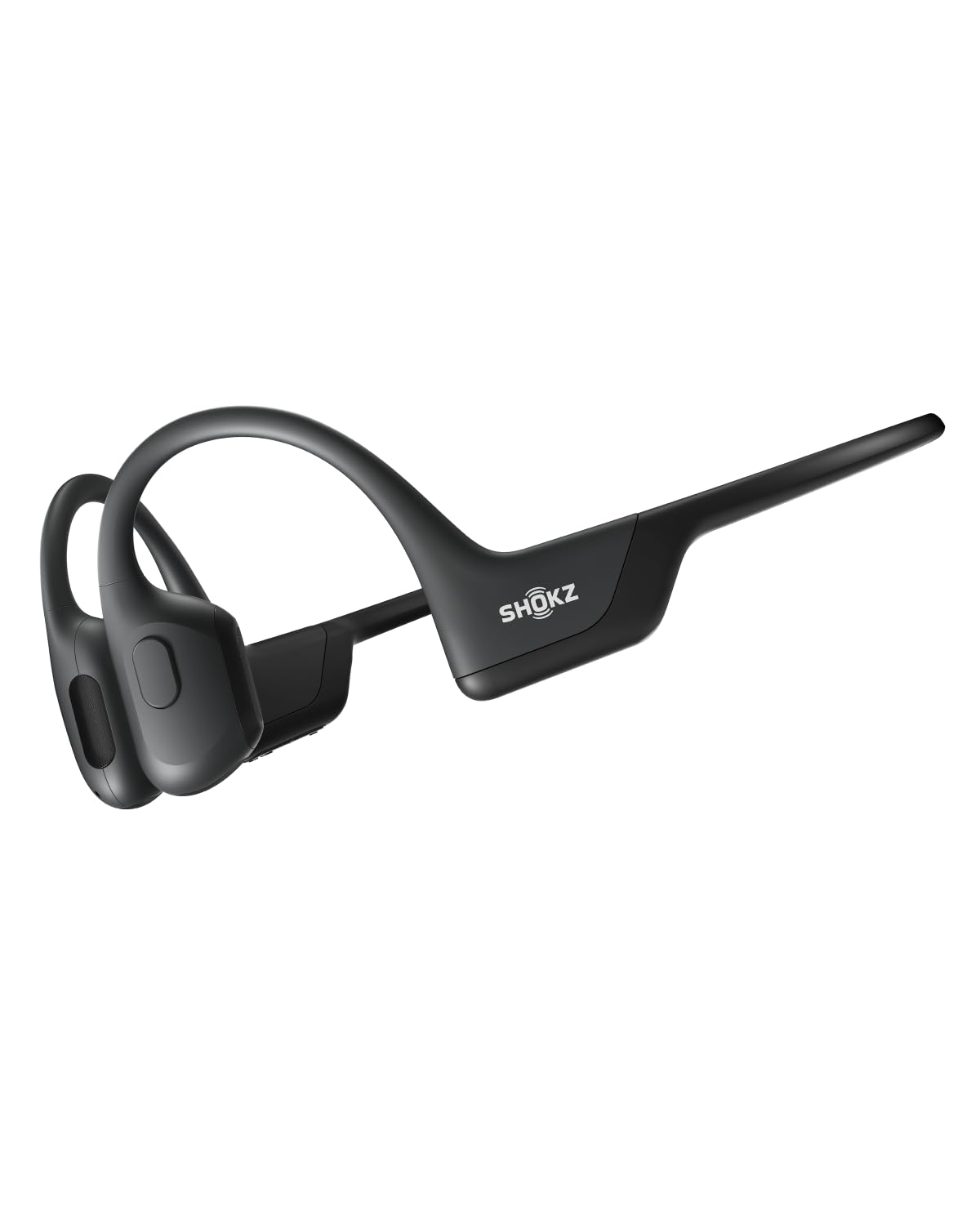
- The bud-free design avoids in-ear headphones.
- A lightweight, wraparound titanium frame keeps the headphones stable during intense training.
- Supports ten continuous hours of music, calls, and podcasts.
Best Gift For: A developer who listens to audio while running or working out and prefers an open-ear design.
SHOKZ OpenFit Open-Ear Bluetooth Earbuds

- The ergonomic design includes an ultra-soft silicone cushion.
- The earhooks have a lightweight, contoured design.
- The charging case supports up to 28 hours of listening.
Best Gift For: A developer who wants earbuds for commuting or workouts while staying connected to surrounding sounds.
HUANUO FlowLift Dual Monitor Stand

- Fits 13–32-inch computer screens weighing 4.4–19.8 lbs per arm, with 75x75mm or 100x100mm VESA mounting holes.
- Supports +85°/-50° tilt, ±90° swivel, and 360° rotation for screen positioning.
- Built-in cable management guides wires along the arms.
Best Gift For: A developer setting up two compatible monitors at a desk suited to the mount.
SteelSeries Arctis Nova Pro Wireless Gaming Headset

- Can connect two systems at once and switch between supported platforms.
- Includes active noise cancellation and a transparency mode for hearing your surroundings.
- Two hot-swappable batteries support continued gaming while one charges.
Best Gift For: A developer who games across multiple systems and wants headset audio with a microphone.
FIFINE T669 USB Studio Microphone Kit

- Connects to a PC or laptop by USB without additional hardware or drivers.
- Includes a steel scissor arm stand, shock mount, and double pop filter.
- The arm setup has a 30-inch reach for positioning the microphone.
Best Gift For: A developer who records podcasts, voiceovers, or online calls from a computer.
SteelSeries Apex Pro HyperMagnetic Gaming Keyboard

- Provides adjustable actuation on a per-key basis.
- Lets a key be programmed for two different actions.
- The OLED display shows information from games and apps.
Best Gift For: A developer who enjoys PC gaming and wants to adjust keyboard actuation to suit different keys.
Audioengine A2+ Wireless Computer Speakers

- Designed for desk listening, including music, gaming, podcasts, and video calls.
- Connects directly to a computer through USB-C and also supports Bluetooth streaming.
- Hand-finished real wood cabinets are part of the speaker design.
Best Gift For: A developer who listens to music, podcasts, or game audio at a desk.
Nulaxy Pull-Out Height Adjustable Laptop Stand

- Adjusts laptop screen height from 1.2 to 20 inches.
- Folds compactly for storage or carrying.
- The stand supports up to 22 lbs.
Best Gift For: A developer who works at a desk and wants to raise or tilt a laptop screen.
SteelSeries Aerox 3 Wireless Gaming Mouse

- The holey shell reduces the mouse weight to 68g.
- Connects through 2.4GHz wireless or Bluetooth 5.0.
- The sensor is an optical gaming sensor co-developed with PixArt.
Best Gift For: A developer who games on PC and prefers a wireless mouse with a lightweight design.
LISEN 3-in-1 Travel Power Bank with Wall Plug
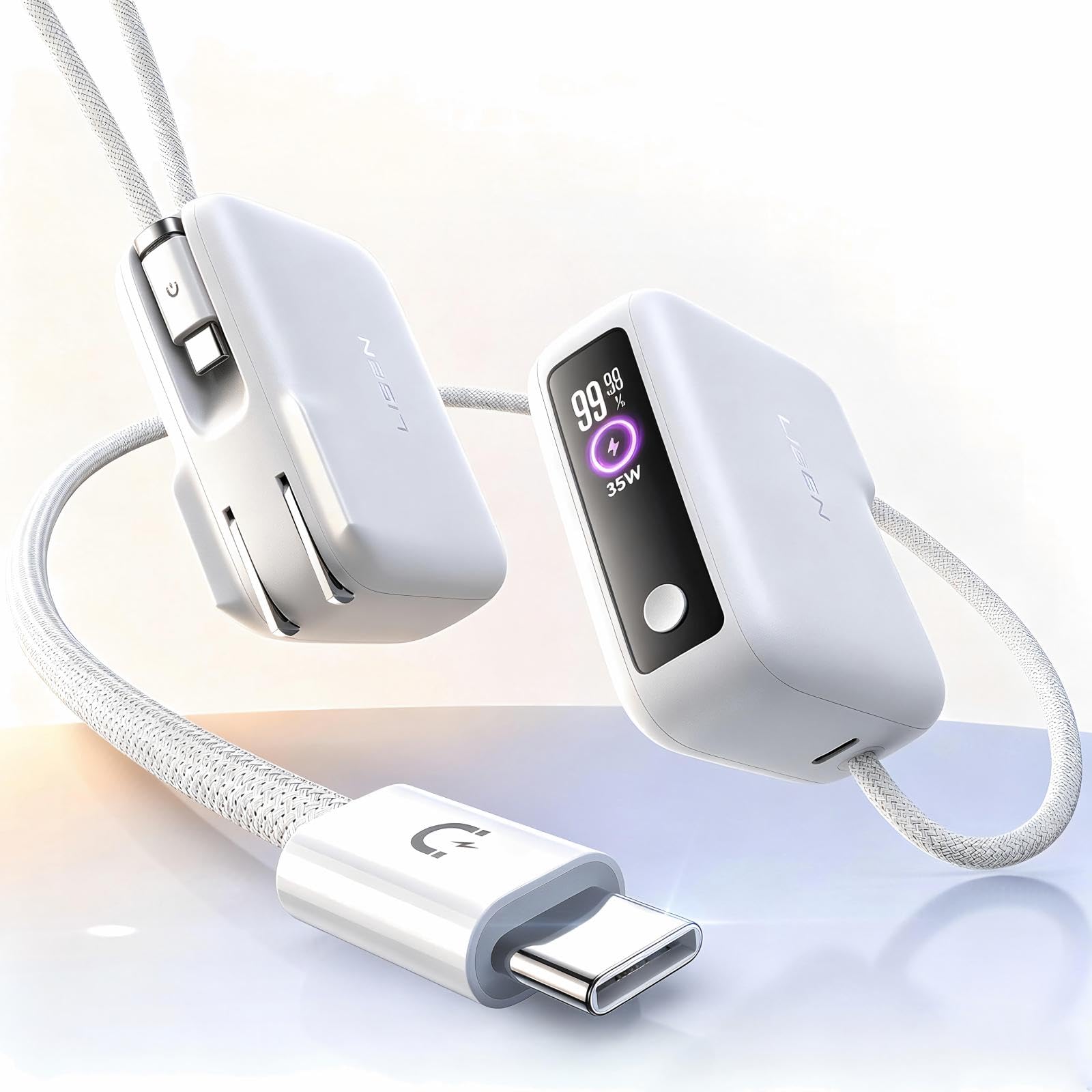
- Combines a wall plug, a power bank, and a built-in cable in one device.
- The built-in cable measures 3.3 feet.
- The power bank has a 7000mAh capacity.
Best Gift For: A developer who travels with a phone and wants a charger that can also be carried as a power bank.
MAONO Wave T5 Wireless Lavalier Microphone

- Records at 48kHz/24-bit.
- Offers four one-tap voice presets.
- The charging case provides up to 40 hours of total use.
Best Gift For: A developer who makes video, podcast, or voiceover content with a phone, camera, or computer.
TP-Link BE6500 Dual-Band WiFi 7 Router
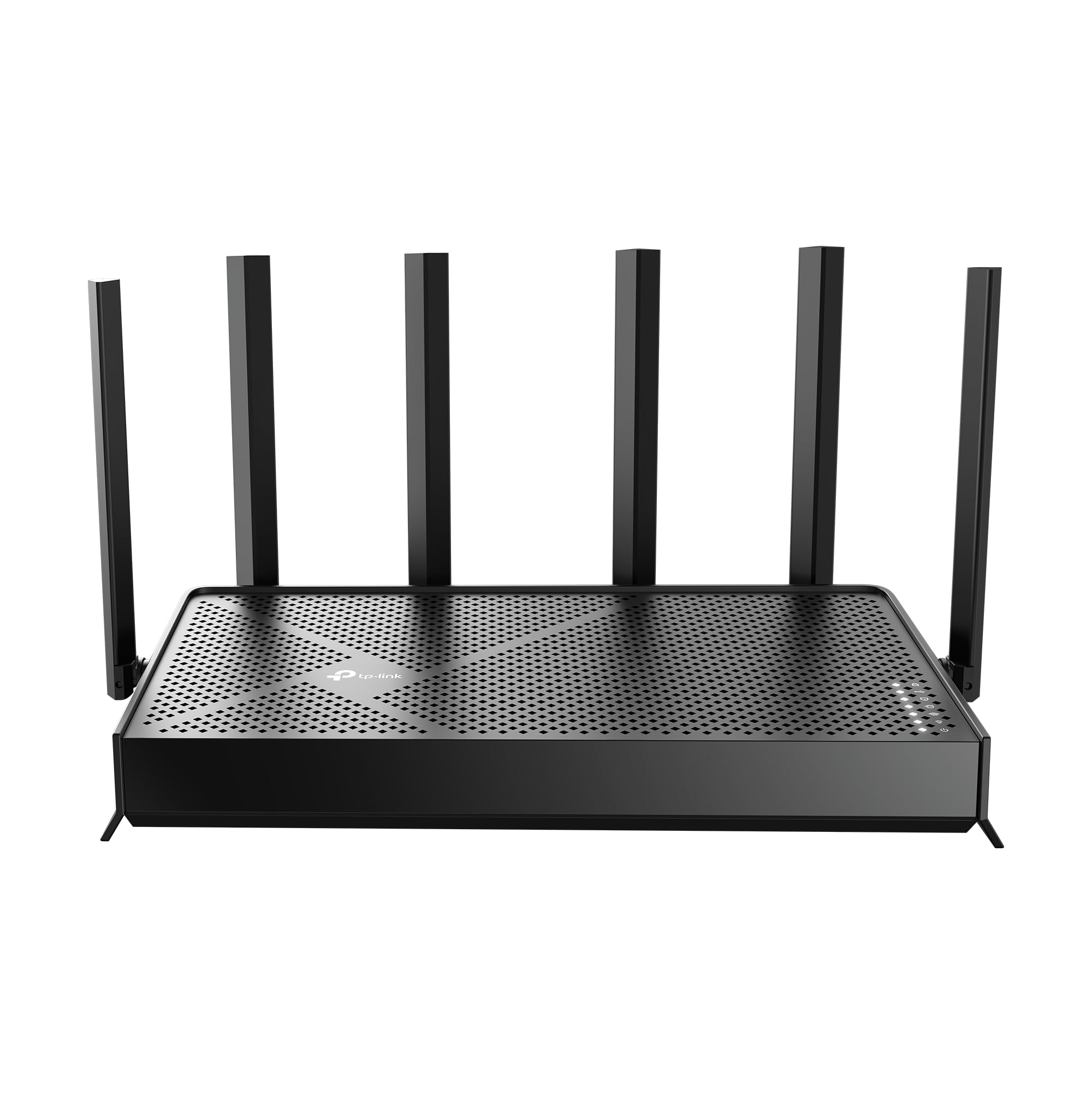
- Designed with Wi-Fi 7 technology and Multi-Link Operation.
- Provides up to 2,400 sq. ft. of coverage for up to 90 devices.
- Includes two 2.5 Gbps ports and three 1 Gbps LAN ports.
Best Gift For: A developer looking to update home networking for work, gaming, and connected devices.
SABRENT SuperSpeed USB 3.0 Card Reader
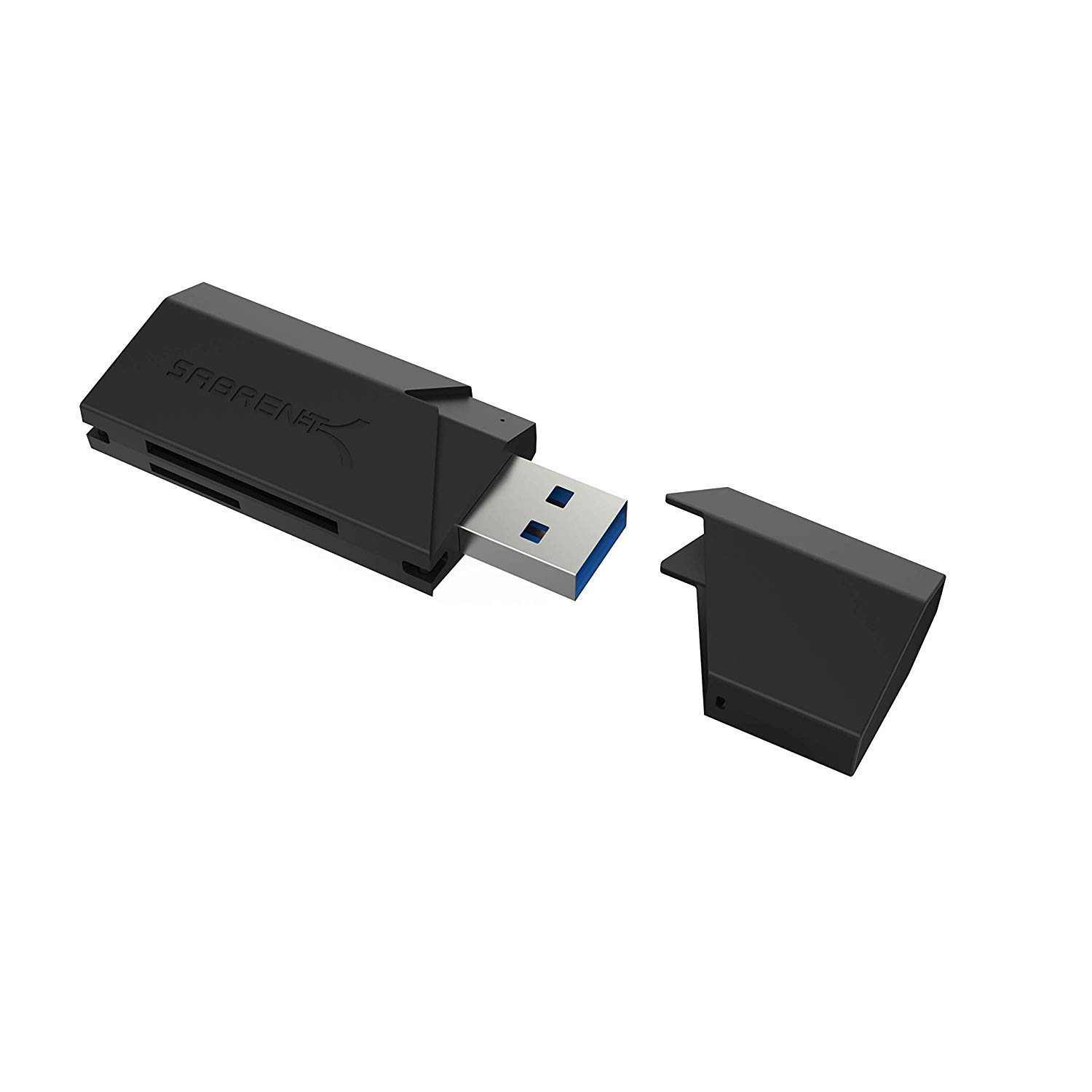
- Supports SD, SDHC, SDXC, MMC, MicroSD, and T-Flash cards.
- Powers via USB without a separate power supply.
- Plug-and-play; no installation is required.
Best Gift For: A developer who works with memory cards and wants a simple reader for compatible systems.
Phomemo D30 Bluetooth Label Maker with 3 Tapes
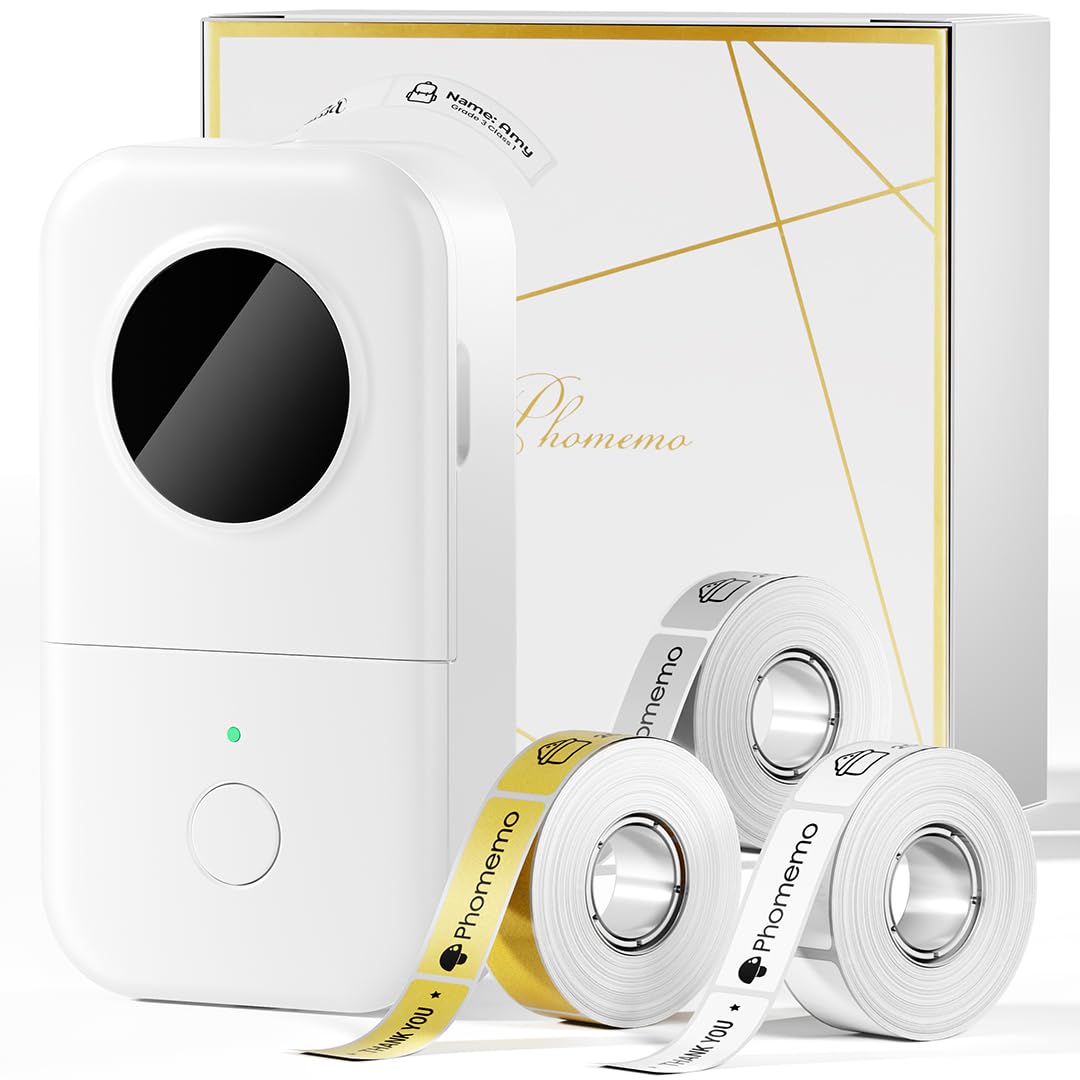
- Comes with three tapes: one white, one gold, and one clear.
- Uses direct thermal printing without ink, toner, or ribbons.
- Prints labels wirelessly from mobile smart devices via Bluetooth.
Best Gift For: A developer who likes labeling cables, office supplies, or storage bins.
Choosing Gifts for Developers That Fit Their Day
To choose gifts for developers, start with the person’s actual routine. Do they spend long stretches at a desk, move between home and an office, record tutorials, or use their computer for gaming after work?
A gift tied to a familiar activity is more likely to feel useful than a generic tech novelty.
Look for small clues in conversation: a laptop balanced on books, tangled cords, a crowded desk, or a hobby project that keeps coming up. Those details can point toward a workspace accessory, a connection tool, or recording equipment.
If the need is unclear, a compact accessory can be easier to fit into an existing setup.
Think about whether the gift should improve a shared work area or support personal time. A desk upgrade may help every weekday, while audio or gaming gear can make downtime more enjoyable.
Match the choice to how the recipient spends time rather than assuming every developer wants the same equipment.
Balancing Budget and Practicality
Set a comfortable budget before comparing options. A small card reader or label maker can make a thoughtful gesture, while larger workstation or audio purchases suit occasions where several people are contributing.
The useful gift ideas are the ones that solve a real annoyance at a level that fits the occasion.
For a higher-cost item, check what else the recipient may need to use it. A monitor mount depends on desk and screen compatibility; a microphone or hub needs to match the recipient’s devices.
Confirm current product details, dimensions, connections, and any required accessories before deciding that a larger purchase is complete.
If you are unsure about a costly upgrade, ask a friend or colleague who knows the recipient’s setup, or choose a smaller complementary item. A modest gift that fits their routine can be more welcome than an ambitious device that adds setup work or duplicates equipment they already own.
Personal Touches for Gifts for Developers
Personalization can make practical gifts feel considered. Add a note that connects the item to a real interest, such as recording a side project, tidying a desk, or enjoying music during a break.
For gifts for developers, the detail that shows you noticed their routine often matters more than elaborate wrapping.
Keep presentation simple and useful. Pair a desk accessory with a handwritten message, or wrap a small organizational tool with a note suggesting a cable or drawer it might help sort.
For a larger item, a card explaining why it reminded you of them can make the gift feel personal without turning it into a work assignment.
For shared gifts, invite contributors to add one short message or a suggestion for how they hope the recipient will enjoy it. Avoid labeling the gift as a productivity fix.
The occasion should feel celebratory, and the recipient should be free to use the item in the way that suits them.
Choosing a Last-Minute Gift
When time is short, narrow the options by what you know with confidence: their main devices, the space they use, and whether they enjoy gaming, audio, or creating content. Check compatibility and dimensions before ordering.
Even a useful idea can miss the mark if it does not work with the recipient’s setup.
Review delivery estimates at checkout and allow time for gift wrapping or a personal note. If the arrival timing is uncertain, prepare a card that explains the choice and share the gift details in person when appropriate.
Avoid promising a delivery date until the order confirms it.
A small, easy-to-understand accessory can work well when you cannot verify a more involved setup. Choose something that complements a known interest, then include a gift receipt when available.
A little room for exchange helps the recipient find the right fit while keeping the gesture warm and low-pressure.
A Final Check Before You Choose
Before buying, make a quick checklist: intended use, device or desk fit, and whether any extra part is needed. Confirm current compatibility, dimensions, and delivery estimates.
This takes only a few minutes and helps keep a generous idea practical.
Consider how the recipient will open and understand the gift. A short note can explain why you chose it and suggest a starting use without prescribing a routine.
Keep packaging manageable, especially if they will need to carry it home or travel soon after the occasion.
The best choice is often the one that respects both the recipient’s interests and their existing setup. A thoughtful note, an appropriate budget, and a little compatibility checking can turn a practical object into a personal gesture that feels easy to receive.