The HP Sprocket Select portable photo printer bundle review centers on a compact way to turn phone and social photos into tangible keepsakes.
Its larger-than-pocket-print format, editing tools, and included creative extras suit people who expect to make albums, stickers, and displays as well as occasional prints.
Sprocket Select Review Summary
The quick verdict
2,000+ ratings
Read Amazon ReviewsHP Sprocket Select
A fit for phone photographers and scrapbookers who want larger sticky-back prints and a ready-to-use set of decorating accessories.
- Prints 2.3-by-3.4-inch photographs from smartphones or social media.
- Supports iOS and Android devices and connects using Bluetooth 5.1.
- Uses ZINK zero-ink technology with glossy, sticky-back photo paper.
- HP app tools include frames, filters, augmented-reality features, and scanning doodles to make custom stickers.

Pros
- Larger 2.3-by-3.4-inch prints give small photos more space for display or journaling.
- ZINK paper removes the need to handle separate ink cartridges, toner, or ribbons.
Consider before buying
- The bundle's many accessories add the most value for buyers who will use them; minimalists may prefer a printer-only option.
- Prints depend on compatible sticky-back photo paper, so ongoing paper needs should factor into a frequent-printing routine.
Read the full review summary
The Sprocket Select prints 2.3-by-3.4-inch photos from iOS and Android devices over Bluetooth 5.1, using ZINK paper that does not require separate ink, toner, or ribbon.
The sticky-backed paper is designed to resist water, smudges, and tears, while the HP app offers frames, filters, augmented-reality features, and doodle scanning for custom stickers.
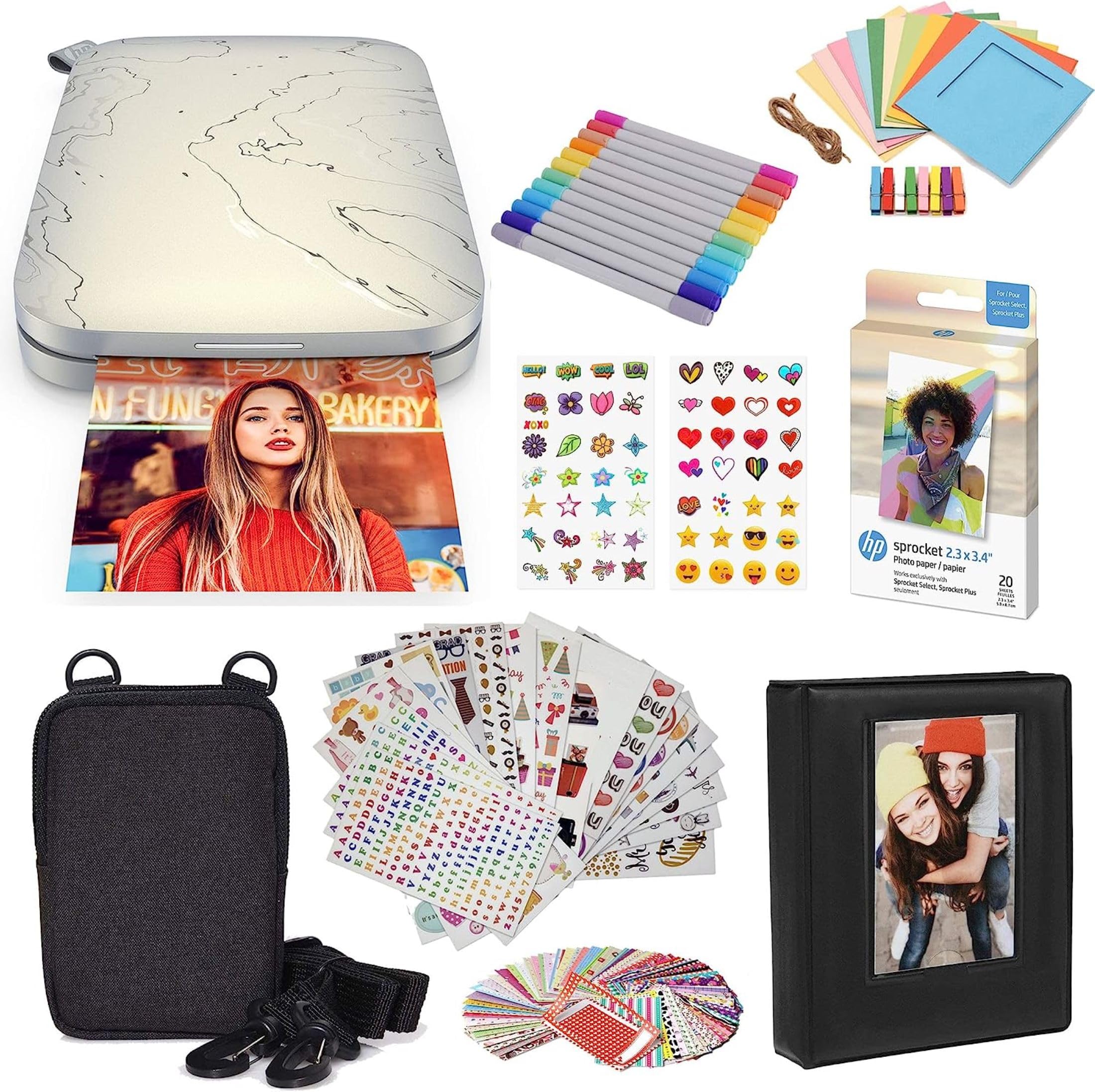
This bundle is especially appealing if you want to start a hands-on photo project with supplies already included: a 20-sheet paper pack, case, markers, album, sticker sets, sticker frames, hanging frames, and decorative stickers.
The tradeoff is that its value depends on wanting those extras and the larger print format; it is less compelling if you only need a basic pocket printer.
The buying factors
Sprocket Select Scorecard
Editorial scores reflect listed features and buyer fit; they are not laboratory measurements or customer ratings.
Print format
At 2.3 by 3.4 inches, its prints offer more room than smaller 2-by-3-inch pocket-photo formats while remaining compact keepsakes.
Phone compatibility
Bluetooth 5.1 and support for iOS and Android make it suitable for printing from common smartphone platforms.
Ink-free convenience
ZINK printing avoids separate ink, toner, or ribbon replacements, though buyers still need compatible photo paper.
Creative editing
The HP app includes frames and filters, with augmented-reality features and doodle scanning for sticker projects.
Starter supplies
The included paper, case, album, markers, and assorted decorating pieces support several kinds of creative use from the outset.
Everyday simplicity
Printing from a phone and using sticky-back paper keeps the process approachable, while app-based editing and social tagging add steps for users who just want a quick print.
Key Features and Specifications of Sprocket Select
- Prints 2.3-by-3.4-inch photographs from smartphones or social media.
- Supports iOS and Android devices and connects using Bluetooth 5.1.
- Uses ZINK zero-ink technology with glossy, sticky-back photo paper.
- HP app tools include frames, filters, augmented-reality features, and scanning doodles to make custom stickers.
- A tag-to-print feature lets users hashtag social photos for quick access in the HP app.
- Bundle contents include a 20-sheet paper pack, deluxe case, twin-tip markers, album, nine sticker sets, sticker frames, square hanging frames, and decorative stickers.
Pros and Cons of Sprocket Select
Pros
- Larger 2.3-by-3.4-inch prints give small photos more space for display or journaling.
- ZINK paper removes the need to handle separate ink cartridges, toner, or ribbons.
- The sticky-back format lends itself to albums, notebooks, and other creative surfaces.
- The bundle includes a broad assortment of supplies for decorating and displaying prints.
- App editing and social-photo access add ways to personalize what you print.
Consider before buying
- The bundle's many accessories add the most value for buyers who will use them; minimalists may prefer a printer-only option.
- Prints depend on compatible sticky-back photo paper, so ongoing paper needs should factor into a frequent-printing routine.
- App-based editing and social tagging may feel like extra steps if your priority is printing unedited camera-roll photos.
Who Should Buy Sprocket Select?
Good fit
Consider the Sprocket Select if you regularly turn phone photos into tangible mementos and want prints that are larger than the common 2-by-3-inch pocket size.
Its sticky-back format is useful for journals, scrapbooks, and informal displays, while the app gives you options to add frames and filters before printing.
The bundle makes particular sense for a creative gift or a shared project: paper, a case, an album, markers, and multiple decorative elements are included.
Before choosing it, think about whether you will use the accessories and whether the 2.3-by-3.4-inch format suits the way you plan to arrange or display your photos.
Who should skip it
Skip this bundle if you want a straightforward printer with no extra craft supplies or do not expect to use the included album, frames, and stickers. Those additions are a central part of its appeal.
Look elsewhere if your priority is larger, conventional photo prints or printing without an app-based phone workflow. This model is designed around compact, sticky-back photos sent from mobile devices.
What the Sprocket Select Bundle Offers for Phone-Photo Projects
A useful step up in print area
The 2.3-by-3.4-inch output gives a phone snapshot more room than a 2-by-3-inch print, which can help when a photo needs to stand on its own in a small album or display.
It remains a compact format, so it is best understood as a keepsake and craft size rather than a substitute for larger photo prints.
Ink-free printing still has a supply requirement
ZINK embeds color in the paper, avoiding separate ink or toner consumables.
The included 20-sheet pack provides a starting supply, but regular use will mean replenishing compatible sticky-back paper; buyers who plan to print in batches should consider that continuing paper need.
App tools fit an expressive workflow
Frames and filters let you shape a print before sending it, while doodle scanning and augmented-reality features add playful options.
Tag-to-print can also help surface social photos without scrolling through a large collection, though these tools matter most to someone who enjoys editing and organizing photos on a phone.
The extras shape the value
A case and paper support portable use, while the album, markers, sticker sets, and frames invite projects beyond printing a single photo.
If those items match your plans, the bundle offers a coherent starter set; if you already have craft supplies or prefer a lean setup, much of its added appeal may go unused.
Alternatives to Sprocket Select
Portable Photo Printers alternative
25,000+ ratings
Read Amazon ReviewsHP Sprocket Select Printer
Choose the bundle if you want its case, album, markers, and decorative supplies for projects. Consider this printer-only configuration if you want the same core print format and app workflow without the extensive craft set.
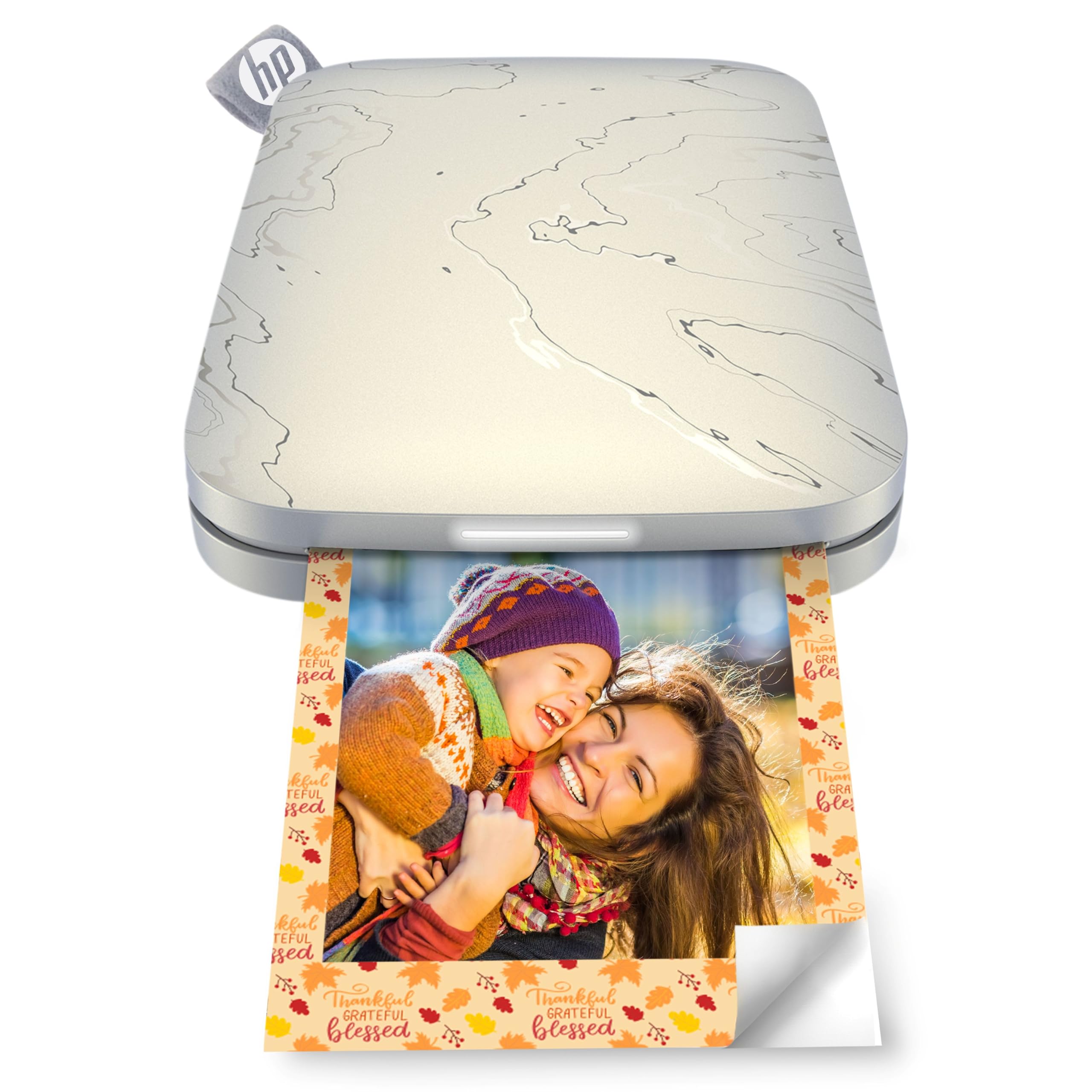
- This Sprocket Select version shares the 2.3-by-3.4-inch ZINK format, Bluetooth 5.1, phone compatibility, and app features, and describes a slim portable design with a removable magnetic lid.
- The reviewed bundle includes the Sprocket Select printer, 20 sheets of paper, and a collection of craft and display accessories.
Laminated-print alternative
12,000+ ratings
Read Amazon ReviewsKODAK Mini 2 Retro
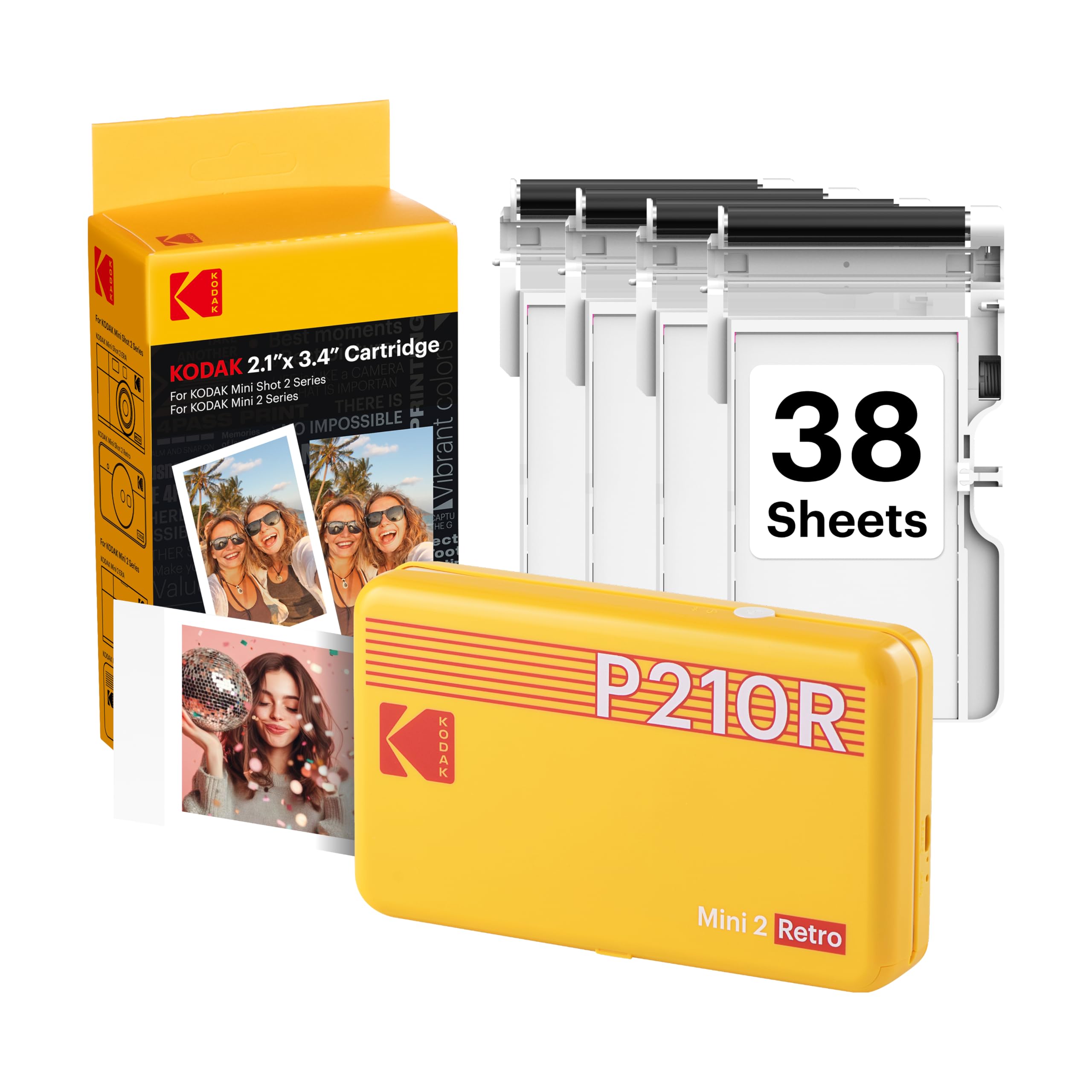
The Sprocket Select is the more natural fit for sticky-back scrapbook projects and app-led embellishment. Consider the Mini 2 Retro if you prefer credit-card-sized prints made with a different printing process and included cartridges and paper.
- The Mini 2 Retro uses 4PASS dye-sublimation printing for credit-card-sized photos, with three color layers and a protective lamination layer; its bundle includes four cartridges and 38 sheets of paper.
- The Sprocket Select uses sticky-back ZINK paper and is bundled with craft supplies for decorating prints.
Is Sprocket Select Worth It?
The HP Sprocket Select is worth considering for phone photographers who want larger sticky-back prints and enjoy turning them into albums, stickers, or small displays.
Bluetooth phone printing, ZINK paper, and the app's creative tools make it a focused option for that kind of routine.
The bundle is easiest to recommend when its case and craft supplies will see regular use.
If you want a simpler setup, compare the printer-only Sprocket Select; if you do not need sticky-back craft prints, its format and bundled accessories may be more than your routine calls for.
Your review at a glance
2,000+ ratings
Read Amazon ReviewsHP Sprocket Select
A fit for phone photographers and scrapbookers who want larger sticky-back prints and a ready-to-use set of decorating accessories.
- Prints 2.3-by-3.4-inch photographs from smartphones or social media.
- Supports iOS and Android devices and connects using Bluetooth 5.1.
- Uses ZINK zero-ink technology with glossy, sticky-back photo paper.
- HP app tools include frames, filters, augmented-reality features, and scanning doodles to make custom stickers.