The JLab GO Charge Wireless Mouse is aimed at people who move between computers and want a small, quiet pointer that can connect by Bluetooth or USB dongle.
This JLab GO Charge Wireless Mouse Bluetooth USB Dongle Multi-Device Compact Rechargeable review looks at how its battery, adjustable tracking, and three-device switching fit everyday work.
JLab GO Charge Review Summary
The quick verdict
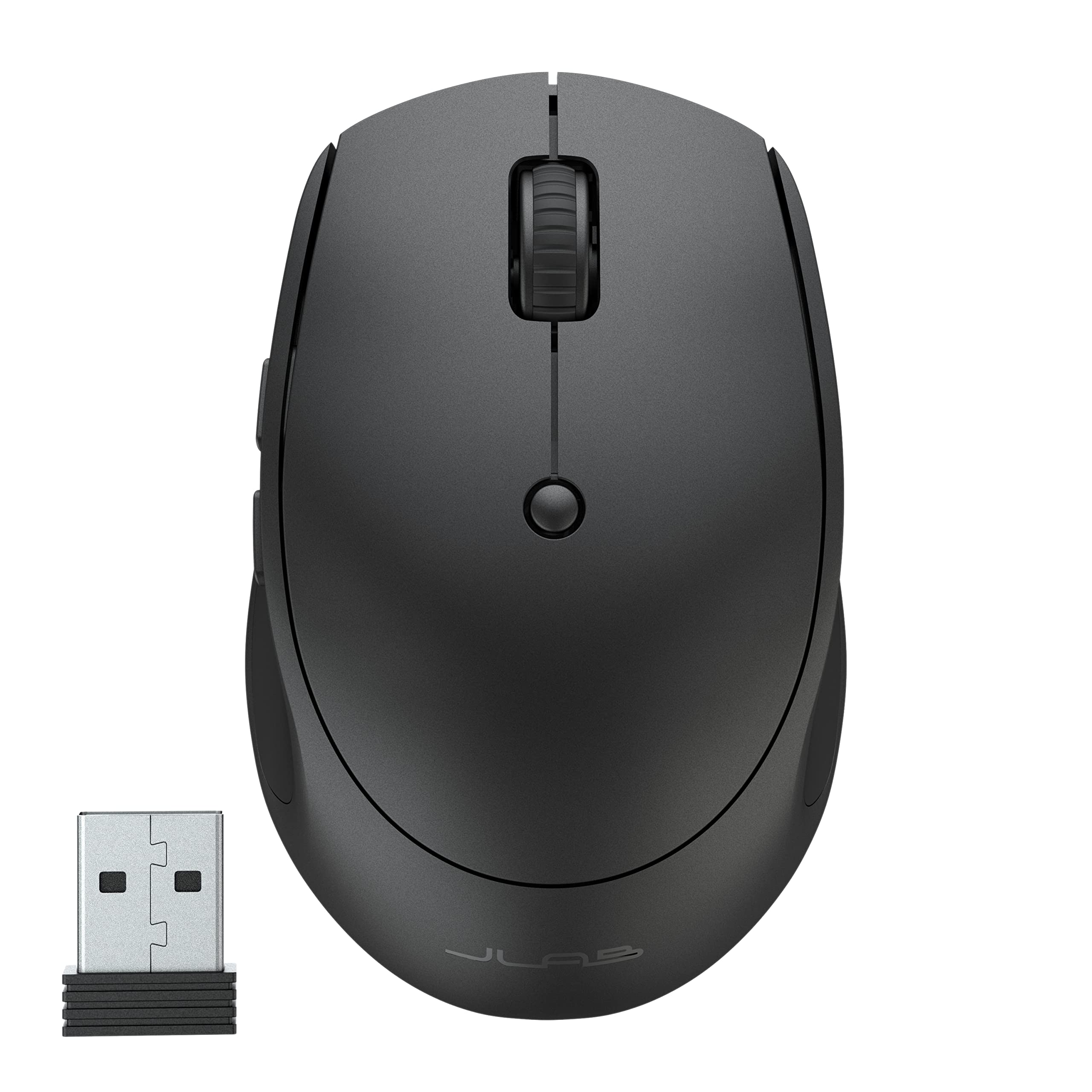
1,000+ ratings
Read Amazon ReviewsJLab GO Charge Wireless Mouse
A compact wireless mouse for mobile workers who want quiet clicks, rechargeable power, and quick switching between up to three devices.
- Rechargeable battery with a stated runtime of four or more months per charge.
- Adjustable DPI tracking for changing cursor speed to suit different tasks.
- Silent click buttons designed for quieter use.
- Connects through Bluetooth 5 or a USB wireless dongle.

Pros
- Bluetooth and USB dongle options offer flexibility across different setups.
- Three-device pairing can reduce the need to reconnect when moving between devices.
Consider before buying
- The compact form may be less comfortable for buyers who prefer a larger mouse; consider its dimensions and your grip before choosing.
- The USB dongle requires an available compatible port, so check your device setup if you plan to use that connection.
Read the full review summary
The GO Charge combines a portable design with two connection methods and support for switching among three paired devices.
That makes it a practical option for a desk shared by a laptop, tablet, or other compatible device, or for someone who carries a mouse between home, office, and travel setups.
Its rechargeable battery is described as lasting four or more months per charge, while adjustable DPI lets you tailor cursor speed to your work. Silent click buttons may also suit quiet workspaces.
The main considerations are whether its compact size feels comfortable for your hand and whether its connection options match the devices you plan to use.
The buying factors
JLab GO Charge Scorecard
Editorial scores reflect listed features and buyer fit; they are not laboratory measurements or customer ratings.
Multi-device flexibility
Bluetooth 5 and a USB wireless dongle support pairing with up to three devices and switching between them.
Battery convenience
The stated battery life is four or more months per charge, and the mouse is rechargeable.
Travel suitability
The compact, lightweight design is intended to fit easily into a bag.
Cursor adjustment
Adjustable DPI gives users a way to tune cursor speed to their preference and task.
Quiet-work suitability
Silent click buttons are a useful design choice for shared or quiet work areas.
Platform versatility
Compatibility includes Windows, Mac/iOS, Android, and Chrome OS.
Long-term reassurance
A two-year warranty provides a defined support period for the mouse.
Key Features and Specifications of JLab GO Charge
- Rechargeable battery with a stated runtime of four or more months per charge.
- Adjustable DPI tracking for changing cursor speed to suit different tasks.
- Silent click buttons designed for quieter use.
- Connects through Bluetooth 5 or a USB wireless dongle.
- Can pair with up to three devices and switch between them.
- Compatible with Windows, Mac/iOS, Android, and Chrome OS.
- Compact portable design and a two-year warranty.
Pros and Cons of JLab GO Charge
Pros
- Bluetooth and USB dongle options offer flexibility across different setups.
- Three-device pairing can reduce the need to reconnect when moving between devices.
- Rechargeable power and a stated four-plus-month runtime limit frequent charging interruptions.
- Silent clicks and adjustable tracking suit a range of work environments and cursor preferences.
Consider before buying
- The compact form may be less comfortable for buyers who prefer a larger mouse; consider its dimensions and your grip before choosing.
- The USB dongle requires an available compatible port, so check your device setup if you plan to use that connection.
- Battery life is expressed as a maximum duration, so your usage pattern may affect how often you need to recharge.
Who Should Buy JLab GO Charge?
Good fit
Consider the GO Charge if you regularly switch between a few devices and want one mouse that can connect through Bluetooth or a USB dongle.
Pairing with up to three devices is especially useful for people who work across a laptop and other compatible hardware, while adjustable DPI offers a simple way to change pointer speed for different tasks.
It also makes sense for mobile work if a compact mouse is more appealing than carrying a full-size model. The rechargeable battery’s stated four-plus-month runtime and quiet click design can reduce routine distractions and charging chores.
Check whether its size suits your hand and whether your preferred device supports the connection method you plan to use.
Who should skip it
Look elsewhere if you need a larger body for a particular grip or want to assess the mouse in person before committing to a compact design.
If you rely on a wired connection or need specialized gaming controls, first confirm that the GO Charge’s listed wireless connections and adjustable DPI meet your requirements.
JLab GO Charge: How Its Features Fit Everyday Work
Switching between devices
Pairing with up to three devices gives the GO Charge a clear role in a multi-device setup.
Bluetooth 5 and a USB wireless dongle provide two ways to connect, while a dedicated switching function is described for moving between paired devices.
Before buying, consider which devices you want to use and whether the dongle connection is practical for them.
Rechargeable power for travel
A four-month-or-longer battery duration per charge is the most distinctive convenience claim here. That could make the mouse easier to keep ready for travel or a shared workspace, although actual time between charges can depend on use.
Since it is rechargeable, buyers who prefer avoiding disposable mouse batteries may find the setup appealing.
Compact size and quiet clicks
The portable design is intended to slip into a bag, and silent click buttons are designed to make operation quieter. Together, those choices favor libraries, offices, and travel days.
Compactness involves a fit tradeoff: if you have a larger hand or prefer a broad palm rest, check the mouse’s physical dimensions and grip before settling on it.
Tuning cursor speed and compatibility
Adjustable DPI lets you select a cursor speed that feels appropriate for tasks such as spreadsheet navigation or moving across multiple monitors. The stated compatibility spans Windows, Mac/iOS, Android, and Chrome OS, giving the mouse broad intended use.
Buyers should still check their specific device and available ports, particularly if they plan to use the USB dongle.
Alternatives to JLab GO Charge
Battery-focused alternative
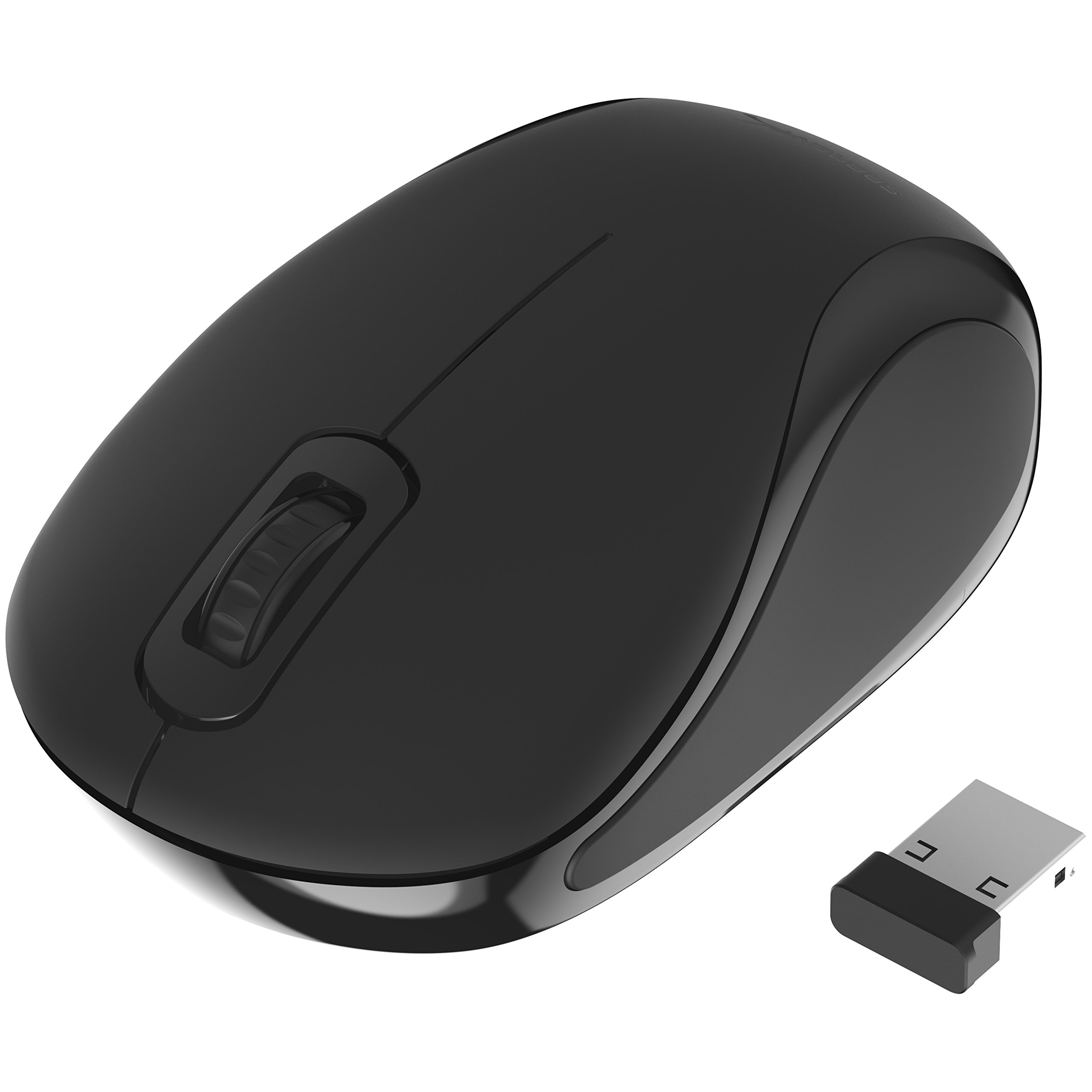
2,000+ ratings
Read Amazon ReviewsSABRENT Mini Travel Wireless Mouse
Choose the JLab if rechargeable power and switching among multiple devices matter most. The SABRENT is a simpler travel option if a nano receiver and fixed 1200 DPI tracking fit your needs.
- The SABRENT is a mini travel mouse with a 2.4 GHz wireless connection through a nano receiver, optical tracking at 1200 DPI, and an ambidextrous design.
- It requires one AAA battery.
- The JLab GO Charge offers rechargeable power, two connection methods, up to three-device switching, silent clicks, and adjustable DPI.
Computer Mice alternative
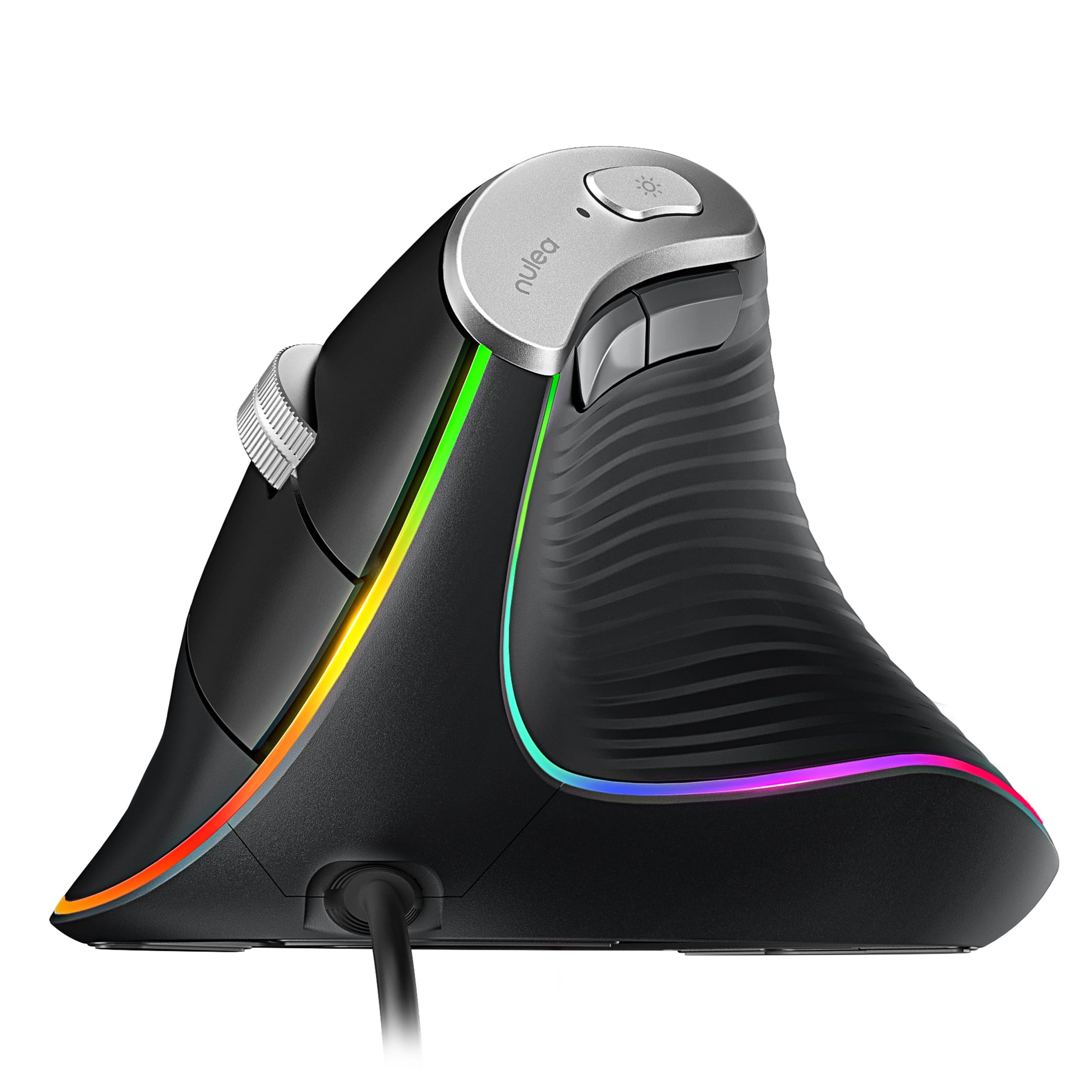
1,000+ ratings
Read Amazon ReviewsNulea M504 Wired Vertical Mouse
Consider the Nulea if you prefer a wired vertical shape and want four defined DPI choices. The JLab is a better fit for portable wireless use and switching among multiple devices.
- The Nulea M504 is a wired vertical mouse with four selectable DPI levels, six buttons, and RGB lighting.
- Its design uses a 57-degree grip and has a 1.8-meter USB cable.
- The JLab is a compact wireless mouse built for portability, quiet clicks, and use across as many as three paired devices.
Is JLab GO Charge Worth It?
The JLab GO Charge Wireless Mouse is worth considering if you want a compact, rechargeable mouse for work across several devices.
Its Bluetooth and USB dongle connections, three-device switching, silent clicks, and adjustable tracking make a useful everyday feature set.
The buying decision chiefly comes down to fit and setup: check that the compact form suits your hand and that your devices work with the connection you plan to use.
If those points line up, the long stated battery duration and two-year warranty add to its appeal as a portable work mouse.
Your review at a glance
1,000+ ratings
Read Amazon ReviewsJLab GO Charge Wireless Mouse
A compact wireless mouse for mobile workers who want quiet clicks, rechargeable power, and quick switching between up to three devices.
- Rechargeable battery with a stated runtime of four or more months per charge.
- Adjustable DPI tracking for changing cursor speed to suit different tasks.
- Silent click buttons designed for quieter use.
- Connects through Bluetooth 5 or a USB wireless dongle.