These reviews liene pixcut s1 buyers are weighing a compact creative setup against separate printing and cutting tools.
The Liene PixCut S1 combines color printing and sticker cutting, with an app-based workflow aimed at making custom designs accessible from a phone, tablet, or desktop.
Liene PixCut S1 Review Summary
The quick verdict
700+ ratings
Read Amazon ReviewsLiene PixCut S1
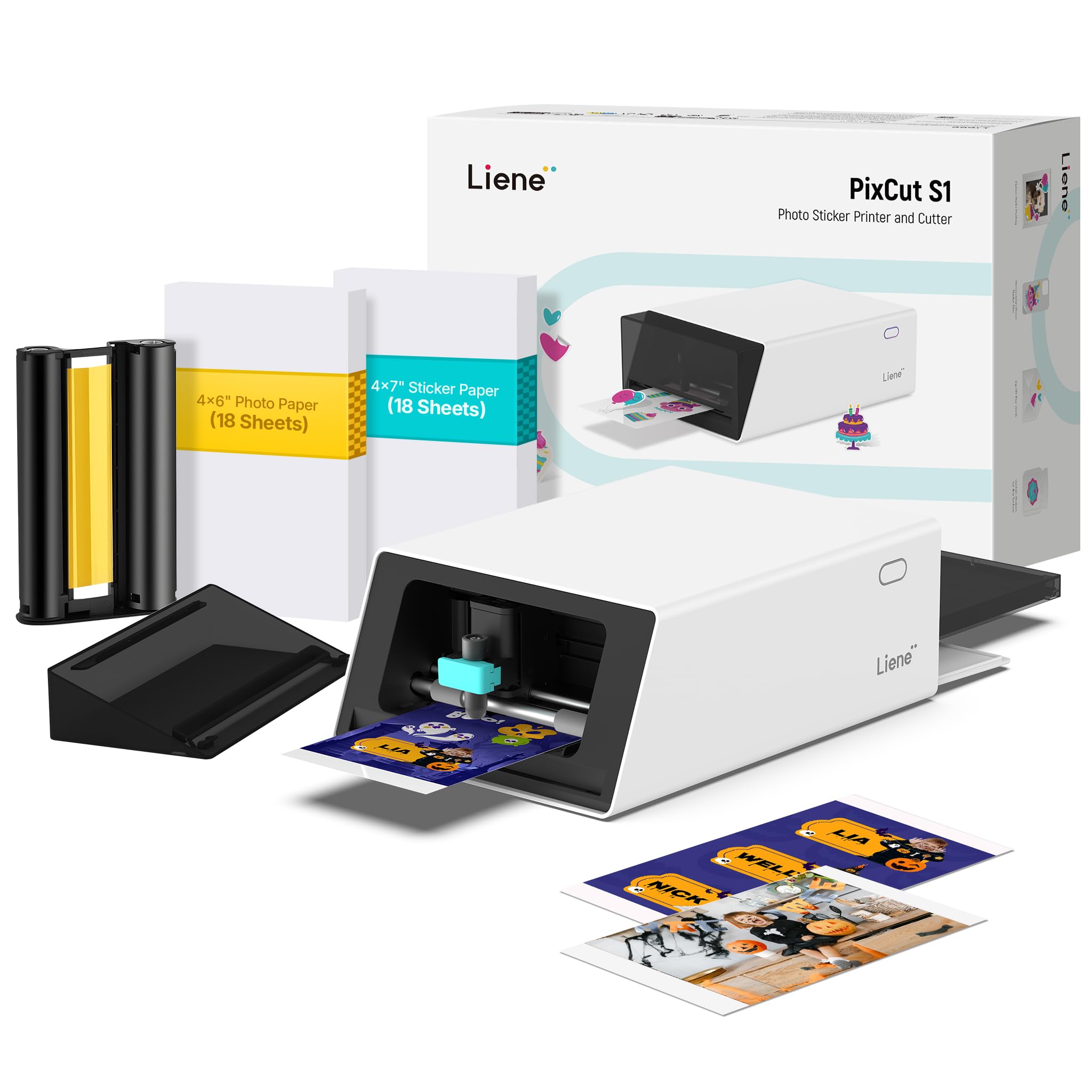
A good fit for DIY makers who want to turn phone photos and designs into printed, cut stickers without separate machines.
- Combines a color dye-sublimation photo printer and cutting machine in one unit.
- Print resolution is 300 dpi, with a stated color range of 16.7 million colors.
- AI image extraction identifies a photo subject, with the cutting system designed to follow its edges.
- The four-layer dye-sublimation process laminates the photopaper during printing; finished stickers are described as waterproof and scratch-resistant.

Pros
- Combines printing and die cutting, reducing the need to move sticker projects between separate machines.
- AI-assisted subject extraction can simplify preparing photo-based designs for cutting.
Consider before buying
- The app-centered workflow may be less appealing to buyers who prefer designing and operating entirely from a computer.
- Its feature set is specialized for creative prints and stickers, so buyers seeking a general-purpose document printer should check that it meets their needs.
Read the full review summary
The PixCut S1 is designed to handle the central steps of making custom stickers in one device: prepare an image in the Liene app, print it, and let the cutter follow the design.
Its 300 dpi dye-sublimation printing, automatic lamination, and AI-assisted image extraction make it especially relevant to photo stickers, labels, and small craft projects.
It suits hobbyists, journaling fans, and gift makers who value an integrated workflow and app-based templates.
The tradeoff is a focused creative appliance rather than a general-purpose office printer or a clearly documented high-volume production tool, so buyers should match its sticker-oriented materials and format to their projects.
The buying factors
Liene PixCut S1 Scorecard
Editorial scores reflect listed features and buyer fit; they are not laboratory measurements or customer ratings.
Workflow integration
Printing and cutting are combined in one device, with editing and control through the app.
Color detail
The specified 300 dpi dye-sublimation process is a strong fit for detailed, colorful sticker artwork.
Creative tools
AI image extraction, style effects, templates, and design elements support a range of personal projects.
Sticker finish
The four-layer printing process laminates the paper automatically, and the output is described as waterproof and scratch-resistant.
Mobile convenience
Bluetooth control from a smartphone and app support a compact, device-centered workflow.
Project flexibility
Sticker, label, badge, phone-skin, and ID-card projects are covered, though the design centers on creative printed output.
Key Features and Specifications of Liene PixCut S1
- Combines a color dye-sublimation photo printer and cutting machine in one unit.
- Print resolution is 300 dpi, with a stated color range of 16.7 million colors.
- AI image extraction identifies a photo subject, with the cutting system designed to follow its edges.
- The four-layer dye-sublimation process laminates the photopaper during printing; finished stickers are described as waterproof and scratch-resistant.
- The Liene app supports editing and printing from smartphones over Bluetooth, and is available for mobile, tablet, and desktop.
- The app includes more than 50,000 free images, fonts, and elements, plus over 10,000 templates, with no subscription required.
Pros and Cons of Liene PixCut S1
Pros
- Combines printing and die cutting, reducing the need to move sticker projects between separate machines.
- AI-assisted subject extraction can simplify preparing photo-based designs for cutting.
- The 300 dpi dye-sublimation output and automatic lamination are suited to colorful, finished-looking stickers.
- A broad library of templates and creative assets gives beginners starting points for different projects.
Consider before buying
- The app-centered workflow may be less appealing to buyers who prefer designing and operating entirely from a computer.
- Its feature set is specialized for creative prints and stickers, so buyers seeking a general-purpose document printer should check that it meets their needs.
- Before buying, confirm the included or compatible paper sizes and supplies support the dimensions and quantity of stickers you plan to make.
Who Should Buy Liene PixCut S1?
Good fit
Consider the PixCut S1 if you regularly make custom stickers from photos, illustrations, or labels and want printing and cutting handled in the same workflow.
AI subject extraction may be useful when you want a cut line to follow a person, pet, or other subject rather than a basic rectangular image.
It is also a strong candidate for occasional craft projects and personalized gifts.
The template and asset library can help you start quickly, while the dye-sublimation print process with automatic lamination is intended to give the finished stickers a protective layer.
Check the supported materials, paper dimensions, and supply costs against your project plans before committing. Those details determine whether the all-in-one convenience translates into a practical fit for your typical sticker sizes and volume.
Who should skip it
Skip it if your main need is high-volume commercial sticker production; the available product details do not establish a production rate or capacity for that kind of work.
Look elsewhere if you need a conventional printer for routine office documents or want a workflow that does not depend on a companion app.
How the Liene PixCut S1 Fits a Sticker-Making Workflow
Printing and cutting in one process
Combining the printer and cutter is the defining convenience here.
Preparing a design, printing it, and cutting around it within one device can make small creative batches simpler to manage, especially for people who would otherwise need separate equipment and a way to align the finished print for cutting.
Dye-sublimation output and finish
The specified 300 dpi resolution and 16.7 million colors point toward detailed, full-color artwork rather than plain monochrome labels.
Automatic lamination during the four-layer printing process is intended to protect the sticker surface; buyers should still choose supplies suited to where and how the stickers will be used.
AI tools and templates
Subject extraction addresses a common design step: separating a person or object from a photo before making a contour cut.
The app also offers style transformations and a large template and asset collection, which can help users who want to create without starting from a blank canvas.
Planning for real projects
A compact footprint and Bluetooth control make the device suited to a personal craft area and phone-led projects.
The most useful pre-purchase check is whether the supported media and replacement supplies align with the sticker dimensions and number of pieces you expect to make.
Alternatives to Liene PixCut S1
No alternative model is recommended here. Compare the design and features that matter to your routine before choosing another option.
Is Liene PixCut S1 Worth It?
The Liene PixCut S1 is worth considering for hobbyists who want a single app-based device for creating colorful, cut stickers from photos and designs.
Its integrated workflow, AI-assisted cutting features, and automatically laminated output make it a well-focused option for crafts, labels, and personalized gifts.
Buy if the supported supplies and project dimensions match your plans, and you value convenience over a broader general-purpose printing setup. For office printing or production needs, confirm that its specialized design fits the job before choosing it.
Your review at a glance
700+ ratings
Read Amazon ReviewsLiene PixCut S1
A good fit for DIY makers who want to turn phone photos and designs into printed, cut stickers without separate machines.
- Combines a color dye-sublimation photo printer and cutting machine in one unit.
- Print resolution is 300 dpi, with a stated color range of 16.7 million colors.
- AI image extraction identifies a photo subject, with the cutting system designed to follow its edges.
- The four-layer dye-sublimation process laminates the photopaper during printing; finished stickers are described as waterproof and scratch-resistant.