The TP-Link Archer BE230 brings Wi-Fi 7 features and two 2.5 Gbps ports to a dual-band home router. This tp link be3600 review looks at its wired flexibility, coverage claims, and the tradeoffs to weigh before choosing it.
Archer BE230 Review Summary
The quick verdict
1,000+ ratings
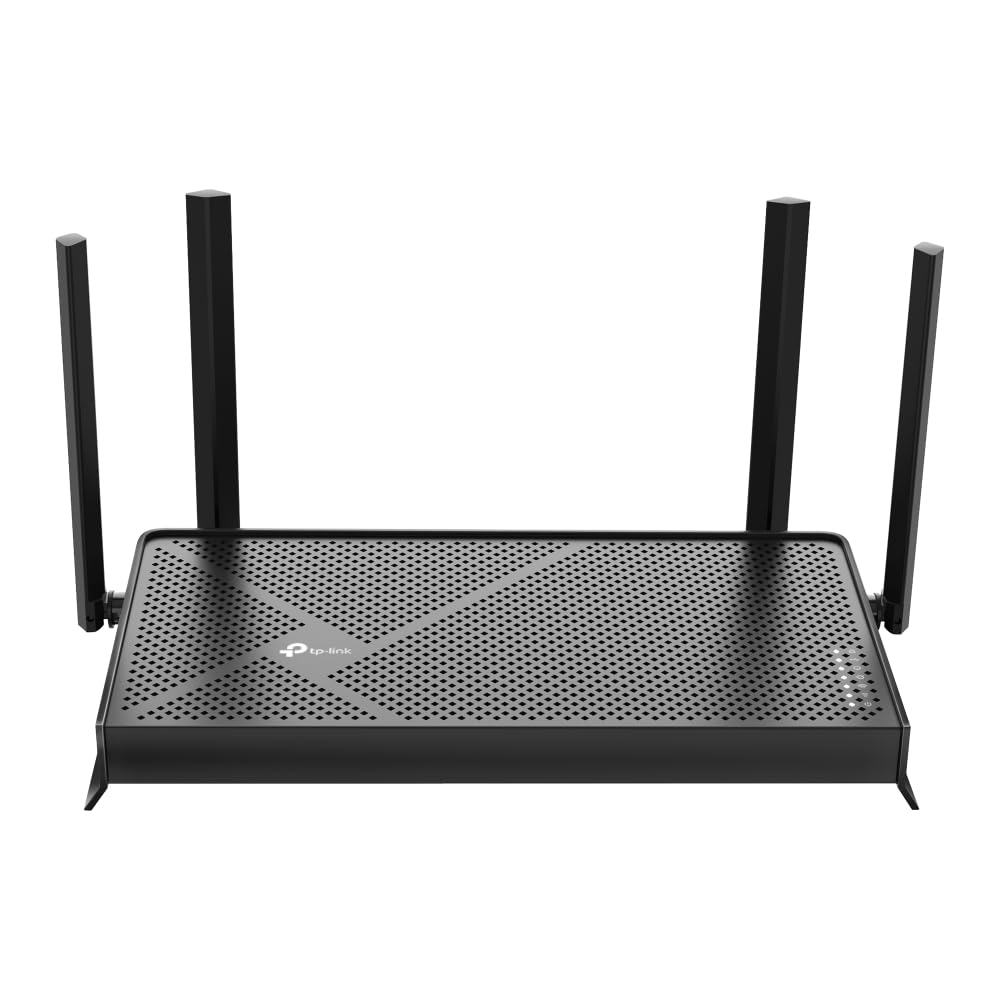
Read Amazon ReviewsTP-Link Archer BE230
A practical fit for homes seeking Wi-Fi 7, multi-gig wired connections, and mesh expansion in a dual-band router.
- Wi-Fi 7 dual-band design with Multi-Link Operation, Multi-RUs, and 4K-QAM; the stated maximum speeds are up to 2,882 Mbps on 5 GHz and 688 Mbps on 2.4 GHz.
- Two 2.5 Gbps ports: one WAN/LAN port and one LAN port, plus three 1 Gbps LAN ports.
- Coverage estimated up to 2,000 square feet and support for up to 60 devices; four internal antennas and beamforming focus signals toward connected devices.
- EasyMesh compatibility allows pairing with compatible routers and range extenders for broader home coverage.

Pros
- Offers Wi-Fi 7 features while remaining a dual-band router.
- Two 2.5 Gbps ports support multi-gig wired connections and equipment.
Consider before buying
- There is no 6 GHz band, which may matter to buyers specifically seeking tri-band Wi-Fi 6E or Wi-Fi 7.
- The listed coverage and device capacity are maximum estimates, not guarantees for every home layout.
Read the full review summary
The Archer BE230 is aimed at homes that want a newer Wi-Fi generation and more than gigabit wired connectivity without moving to a tri-band design.
Its two 2.5 Gbps ports, three additional gigabit LAN ports, and USB 3.0 connection give it several ways to accommodate wired devices and network needs.
Its dual-band layout is the key buying consideration: the router does not support 6 GHz.
The manufacturer estimates coverage up to 2,000 square feet and support for up to 60 devices, but actual results depend on placement, distance, obstacles, and the rest of the network.
It may suit a typical home with compatible Wi-Fi 7 devices and a multi-gig wired plan, while buyers seeking a 6 GHz band should compare other designs.
The buying factors
Archer BE230 Scorecard
Editorial scores reflect listed features and buyer fit; they are not laboratory measurements or customer ratings.
Wi-Fi 7 feature set
Includes Multi-Link Operation, Multi-RUs, and 4K-QAM, with backward compatibility for earlier Wi-Fi generations.
Wired connectivity
Two 2.5 Gbps ports and three 1 Gbps LAN ports provide useful multi-gig and standard wired options.
Band flexibility
Dual-band operation can serve many home setups, but the design has no 6 GHz band.
Expansion options
EasyMesh compatibility provides a path to add compatible routers or range extenders.
Setup and management
The Tether app is provided for setup, management, and firmware updates.
Home network tools
HomeShield, parental controls, IoT security, and VPN features add useful network management options.
Key Features and Specifications of Archer BE230
- Wi-Fi 7 dual-band design with Multi-Link Operation, Multi-RUs, and 4K-QAM; the stated maximum speeds are up to 2,882 Mbps on 5 GHz and 688 Mbps on 2.4 GHz.
- Two 2.5 Gbps ports: one WAN/LAN port and one LAN port, plus three 1 Gbps LAN ports.
- Coverage estimated up to 2,000 square feet and support for up to 60 devices; four internal antennas and beamforming focus signals toward connected devices.
- EasyMesh compatibility allows pairing with compatible routers and range extenders for broader home coverage.
- HomeShield includes network protection, parental controls, and IoT security features.
- Tether app setup and management, USB 3.0, VPN features, and compatibility with Amazon Alexa and Google Assistant.
Pros and Cons of Archer BE230
Pros
- Offers Wi-Fi 7 features while remaining a dual-band router.
- Two 2.5 Gbps ports support multi-gig wired connections and equipment.
- Three additional gigabit LAN ports provide room for conventional wired devices.
- EasyMesh compatibility offers an expansion route if one router does not cover the home well.
- App-based setup and management include firmware updates.
Consider before buying
- There is no 6 GHz band, which may matter to buyers specifically seeking tri-band Wi-Fi 6E or Wi-Fi 7.
- The listed coverage and device capacity are maximum estimates, not guarantees for every home layout.
- A separate modem is required for internet service in most setups.
Who Should Buy Archer BE230?
Good fit
Consider the Archer BE230 if you want Wi-Fi 7 features and have a practical reason to use multi-gig Ethernet, such as a compatible internet connection or wired devices.
The mix of 2.5 Gbps and gigabit ports gives it flexibility for a home network that includes both newer and standard wired equipment.
It is also a reasonable candidate for a household that expects to add coverage later.
EasyMesh compatibility lets you explore a compatible extender or router if walls or distance make a single-router layout difficult; check that any equipment you plan to pair supports the relevant EasyMesh functions.
Before buying, map your most important rooms and devices, and confirm whether your internet plan or wired equipment can use the 2.5 Gbps ports.
If access to a 6 GHz band is a priority, this dual-band model is not the right match.
Who should skip it
Skip this model if your main requirement is a router with a 6 GHz band. The Archer BE230 is explicitly dual-band, so compare tri-band options instead.
Look elsewhere if you need a specific coverage area or device load that exceeds the stated estimates. Check room layout, wall materials, and where the router can be placed before relying on a single unit.
How the Archer BE230 Fits a Wi-Fi 7 Home
Dual-band Wi-Fi 7 in practice
The BE230 combines Wi-Fi 7 features with 2.4 GHz and 5 GHz bands. That can be a straightforward upgrade path for homes whose devices use those bands, but Wi-Fi 7 support alone does not provide 6 GHz connectivity.
Consider the wireless bands your current and planned devices need before choosing.
Two faster wired ports
One 2.5 Gbps WAN/LAN port and a separate 2.5 Gbps LAN port give the router options for a multi-gig internet connection and a wired device, subject to the connection and equipment supporting those speeds.
Three 1 Gbps LAN ports keep the layout useful for devices that do not need multi-gig links. The port mix is a central strength for buyers who prefer wired connections for selected equipment.
Coverage and mesh planning
The stated coverage estimate is up to 2,000 square feet, with a maximum of 60 devices. Those figures offer a planning reference, while floors, walls, router placement, and how devices are distributed can change real coverage.
EasyMesh compatibility provides an expansion option; buyers with difficult layouts should consider where an additional compatible unit could go.
Management and household controls
The Tether app handles setup and management, including firmware updates. HomeShield features include network protection, parental controls, and IoT security, while VPN functions and voice-assistant compatibility broaden the available tools.
Buyers who depend on a particular VPN configuration or control feature should confirm that its specific use is supported before purchase.
Alternatives to Archer BE230
Computer Routers alternative
5,000+ ratings
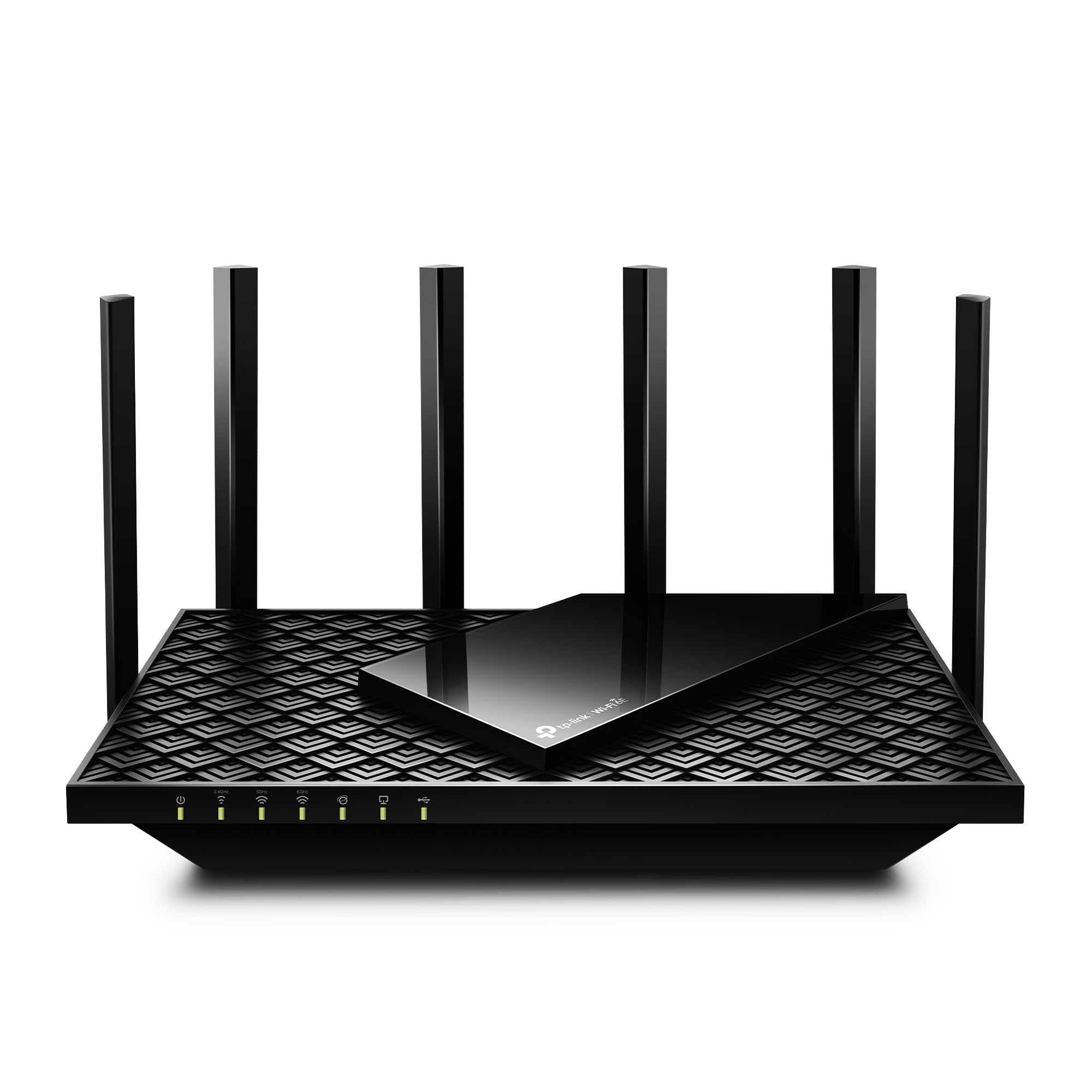
Read Amazon ReviewsTP-Link Archer AXE75
Choose the BE230 if Wi-Fi 7 features and two 2.5 Gbps ports fit your setup; consider the AXE75 if a 6 GHz band and tri-band operation are more important than having a second 2.5 Gbps port.
- The Archer AXE75 is a tri-band Wi-Fi 6E router with a 6 GHz band, one 2.5 Gbps WAN port, and OneMesh support.
- The Archer BE230 is a dual-band Wi-Fi 7 router with two 2.5 Gbps ports and no 6 GHz band.
Computer Routers alternative
600+ ratings
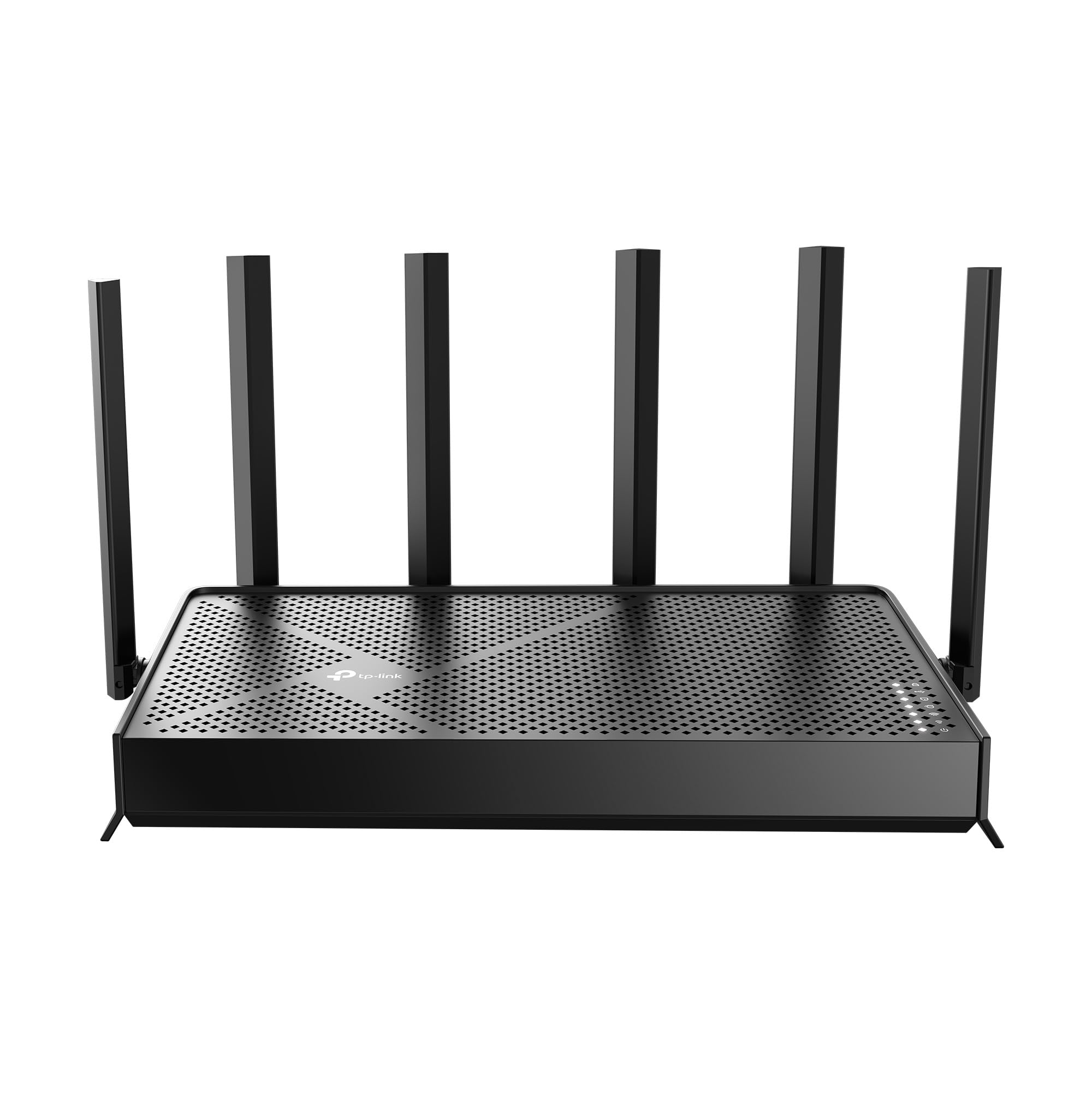
Read Amazon ReviewsTP-Link Archer BE600
The BE600 is the more suitable option if your setup calls for tri-band Wi-Fi 7, more multi-gig wired ports, or the higher stated coverage and device estimates.
The BE230 has a simpler dual-band configuration for buyers who do not need those additional capabilities.
- The Archer BE600 is a tri-band Wi-Fi 7 router with a 6 GHz band, a 10 Gbps WAN/LAN port, a 2.5 Gbps WAN/LAN port, three 2.5 Gbps LAN ports, and stated coverage up to 2,600 square feet for up to 120 devices.
- The Archer BE230 uses a dual-band design, with stated coverage up to 2,000 square feet and capacity for up to 60 devices.
Is Archer BE230 Worth It?
The TP-Link Archer BE230 is worth considering if you want a dual-band Wi-Fi 7 router with two 2.5 Gbps ports, several standard LAN ports, and an EasyMesh expansion path.
Its wired connectivity and app-based management make it a flexible option for a mixed home network.
The main compromise is the lack of 6 GHz, alongside coverage figures that should be treated as estimates shaped by your home.
Choose it when its bands and port layout match your devices; look at a tri-band model if 6 GHz is a must-have.
Your review at a glance
1,000+ ratings
Read Amazon ReviewsTP-Link Archer BE230
A practical fit for homes seeking Wi-Fi 7, multi-gig wired connections, and mesh expansion in a dual-band router.
- Wi-Fi 7 dual-band design with Multi-Link Operation, Multi-RUs, and 4K-QAM; the stated maximum speeds are up to 2,882 Mbps on 5 GHz and 688 Mbps on 2.4 GHz.
- Two 2.5 Gbps ports: one WAN/LAN port and one LAN port, plus three 1 Gbps LAN ports.
- Coverage estimated up to 2,000 square feet and support for up to 60 devices; four internal antennas and beamforming focus signals toward connected devices.
- EasyMesh compatibility allows pairing with compatible routers and range extenders for broader home coverage.